
Mobile hotspots have transformed the way people stay connected, enabling laptops, tablets, and other devices to access the internet virtually anywhere there is cellular coverage. Whether used for remote work, travel, emergency backup, or daily commuting, mobile hotspots provide flexibility that traditional fixed broadband cannot. As connectivity demands grow, understanding how hotspots work, how to set them up, and how modern solutions like eSIM enhance their functionality has become increasingly important.
TLDR: Mobile hotspots allow users to share cellular data connections with multiple devices, offering internet access on the go. They can be set up through smartphones or dedicated devices, but users must manage security, data usage, and battery life. Risks include data overages, cyber threats, and network slowdowns. eSIM technology simplifies activation, enhances flexibility, and improves travel connectivity without physical SIM cards.
What Is a Mobile Hotspot?
A mobile hotspot is a device or feature that converts a cellular data connection into a local Wi-Fi network. In simple terms, it acts like a portable router that connects to a mobile carrier’s network rather than a wired broadband connection. Devices such as laptops, smart TVs, tablets, and gaming consoles can then connect to this Wi-Fi network.
There are two primary types of mobile hotspots:
- Smartphone Hotspot (Tethering): Most modern smartphones include built-in hotspot functionality.
- Dedicated Mobile Hotspot Devices: Standalone hardware designed solely to provide Wi-Fi via cellular networks.
Both options rely on a mobile data plan and cellular signal to function effectively.
How to Set Up a Mobile Hotspot
1. Setting Up a Smartphone Hotspot
Setting up a hotspot on a smartphone typically involves the following steps:
- Navigate to Settings.
- Select Mobile Network or Connections.
- Tap Personal Hotspot or Tethering.
- Turn the feature on.
- Create a strong Wi-Fi password.
Once activated, other devices can locate the phone’s hotspot under available Wi-Fi networks and connect using the assigned password.
2. Setting Up a Dedicated Hotspot Device
Dedicated hotspot devices require a SIM card (or eSIM) and an active data plan. Setup typically includes:
- Inserting the SIM card or scanning an eSIM activation QR code.
- Powering on the device.
- Accessing the admin dashboard (usually via a web browser).
- Configuring network name (SSID) and password.
Dedicated devices are particularly useful for users who require stronger signal reception and longer battery life than smartphones typically provide.
Everyday Usage Scenarios
Mobile hotspots serve numerous real-world purposes:
- Remote Work: Provides connectivity during travel or when home broadband fails.
- Business Travel: Ensures internet access across regions and countries.
- Education: Supports students in areas without fixed internet.
- Emergency Backup: Acts as redundancy during network outages.
- Events and Conferences: Supplies secure, private connectivity separate from public Wi-Fi.
Battery life management becomes important during prolonged use. Dedicated hotspot devices can often support between 8–24 hours of active use, while smartphone tethering may significantly reduce phone battery performance.

Common Risks and Limitations
While mobile hotspots are convenient, users should remain aware of certain risks and operational challenges.
1. Data Overages
Hotspots can consume large amounts of data quickly, especially when streaming video, conducting video calls, or downloading large files. Without unlimited plans, users may incur significant additional charges.
2. Security Vulnerabilities
If improperly configured, hotspots may expose users to security threats. Risks include:
- Unauthorized access due to weak passwords.
- Outdated encryption protocols.
- Man-in-the-middle attacks on unsecured connections.
To mitigate these risks, users should:
- Enable WPA3 or WPA2 encryption.
- Create complex passwords.
- Disable hotspot broadcasting when not in use.
3. Network Congestion and Throttling
Mobile carriers may throttle data speeds after certain usage thresholds. Additionally, performance may degrade in crowded areas such as airports, concerts, or city centers.
4. Battery and Heat Issues
Continuous hotspot usage can cause devices to overheat and drain battery life rapidly, particularly with smartphone tethering.
The eSIM Advantage in Mobile Hotspots
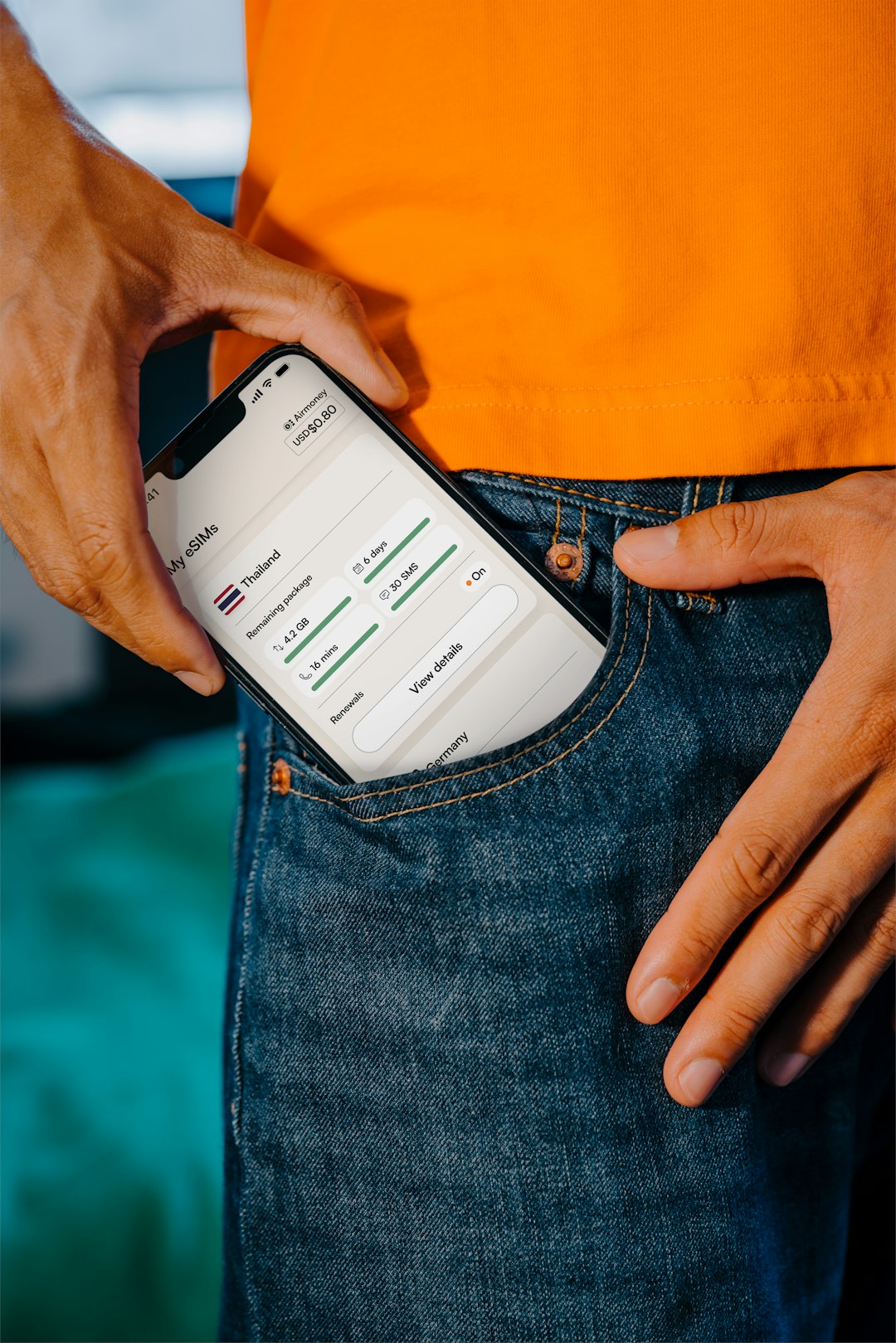
eSIM (embedded SIM) technology eliminates the need for a physical plastic SIM card. Instead, carrier credentials are digitally stored and remotely provisioned onto the device. This innovation provides several significant benefits for mobile hotspot users.
1. Seamless Activation
Users can activate a plan by scanning a QR code or downloading a carrier profile. There is no need to visit a store or handle a physical card.
2. Multi-Carrier Flexibility
eSIM-enabled devices can store multiple carrier profiles, allowing users to switch networks without swapping SIM cards. This is particularly useful for international travelers.
3. Improved Travel Connectivity
Travelers can purchase local data plans digitally before arrival in a destination country. This avoids roaming charges and ensures connectivity immediately upon landing.
4. Enhanced Device Durability
Without a removable SIM tray, devices can achieve better water and dust resistance.
Comparison of Hotspot Options
| Feature | Smartphone Hotspot | Dedicated Hotspot Device | eSIM-Enabled Hotspot |
|---|---|---|---|
| Portability | High | High | High |
| Battery Life | Limited | Extended | Extended |
| Ease of Setup | Very Easy | Moderate | Very Easy |
| International Flexibility | Roaming fees apply | Requires new SIM | Instant digital carrier switching |
| Best Use Case | Occasional use | Business and group use | Frequent travelers and remote professionals |
Best Practices for Safe and Efficient Use
To maximize performance and minimize risk, users should adopt the following practices:
- Monitor monthly data usage carefully.
- Use secure passwords and updated firmware.
- Turn off the hotspot when not actively needed.
- Position the device near windows for better signal strength.
- Consider unlimited or high-cap data plans if usage is frequent.
For businesses, implementing VPN connections over hotspots adds an additional layer of security for sensitive information.
The Future of Mobile Hotspots
As 5G and future 6G technologies expand globally, mobile hotspots will continue to deliver faster speeds and lower latency. eSIM adoption is expected to grow rapidly, particularly in enterprise environments and global travel markets. Innovations may also include AI-driven network optimization and automatic carrier switching based on signal quality.
The trend indicates a future where mobile connectivity becomes increasingly seamless, borderless, and software-driven rather than dependent on physical hardware components.
Frequently Asked Questions (FAQ)
1. Is a mobile hotspot better than public Wi-Fi?
Yes, in most cases. A personal hotspot is generally more secure than public Wi-Fi networks, especially when properly encrypted and password protected.
2. Does using a hotspot consume a lot of data?
It can. Activities like video streaming, cloud backups, and video conferencing consume significant data. Monitoring usage is recommended.
3. Can multiple devices connect to a mobile hotspot?
Yes. Most smartphones support 5–10 connected devices, while dedicated hotspots may support 15 or more, depending on the model.
4. What is the main advantage of eSIM for hotspots?
The primary advantage is flexibility. Users can activate or switch carriers digitally without physically changing SIM cards.
5. Are eSIM hotspots available worldwide?
Availability depends on device compatibility and carrier support, but adoption is expanding rapidly across global markets.
6. Do mobile carriers throttle hotspot data?
Some carriers reduce speeds after a certain data threshold is reached. Plan terms should be reviewed carefully.
7. Is a dedicated hotspot device worth it?
For frequent travelers, remote workers, or business users requiring reliable connectivity and better battery life, a dedicated device is often worth the investment.
Mobile hotspots remain one of the most versatile connectivity tools available today. With responsible usage and the growing advantages of eSIM technology, users can enjoy reliable internet access wherever mobile networks reach.