
Seeing the message “USA Staffing has encountered an error” can be stressful, especially when you are applying for a federal job. Deadlines matter, and this error can block login, stop submissions, or interrupt uploads. In many cases, the problem is temporary or related to browser behavior, not your application itself.
This guide explains what the error means, why it happens, how to fix it safely, and how to avoid it later.
What Does “USA Staffing Has Encountered an Error” Mean?
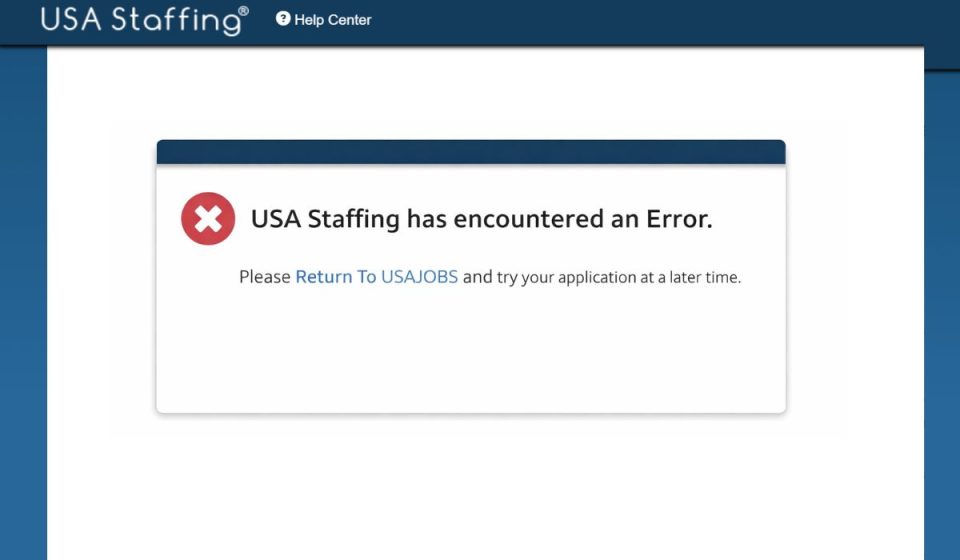
This message means the USA Staffing system could not complete the action you requested. USA Staffing is an online hiring system used by federal agencies to manage job applications and applicant data. When the system encounters an error, it usually stops the process to prevent incomplete or incorrect submissions. This does not automatically mean your application is deleted or rejected. In most cases, the issue relates to session handling, browser data, or system availability within USA Staffing.
Most users see this error while logging in, submitting an application, uploading documents, or moving between steps. Sometimes it appears after a long period of inactivity. In other cases, it shows up when moving between USAJobs and USA Staffing during the application process.
Common Causes of USA Staffing Error
This error can happen for several reasons, and not all of them are under your control. Below are the most common causes users experience.
- Temporary system outage or scheduled maintenance
- Session timeout after inactivity
- Browser cache or cookie conflict
- Using an unsupported or outdated web browser
- Opening USA Staffing in multiple tabs or windows
- Uploading large or unsupported document files
- Account sync issue between USAJobs and USA Staffing
How to Fix USA Staffing Has Encountered an Error?
Most fixes are simple and safe. The key is to stay calm and try one fix at a time. Always save your work when possible before retrying any step.
Fix #1: Refresh the Page and Log In Again
This error often appears when your session expires. Refreshing and logging in again can reset the session.
Here are the following steps which help you do this:
- Close the error message
- Refresh the browser page
- Log out of USA Staffing if possible
- Close the browser completely
- Reopen the browser and log in again
This often resolves short session issues.
Fix #2: Clear Browser Cache and Cookies
Stored browser data can conflict with secure government portals.
Follow the steps below to easily clear cache and cookies:
- Open browser settings
- Go to privacy or history
- Clear cache and cookies
- Close the browser
- Reopen and log back into USA Staffing
This removes outdated session data.
Fix #3: Use a Supported Web Browser
USA Staffing works best on modern, updated browsers. Older versions may fail to load secure pages correctly.
You can perform the following steps to check this:
- Update your browser to the latest version
- Try a different browser if available
- Avoid using mobile browsers for submissions
- Restart the browser before logging in
This helps improve compatibility.
Fix #4: Avoid Multiple Tabs or Windows
Opening USA Staffing in more than one tab can confuse the system and trigger errors.
This fix does not require steps. Simply use one browser tab or window when working inside USA Staffing. Close all duplicate tabs before continuing. This helps keep your session stable.
Fix #5: Check for System Maintenance or Outage
Sometimes the issue is not on your side. USA Staffing may be under maintenance.
Here’s how you can check:
- Look for notices on USAJobs
- Check official announcements from the hiring agency
- Wait and try again after some time
During maintenance, waiting is the only option.
Fix #6: Reduce File Size or Re-Upload Documents
Large or unsupported files can cause upload errors.
Below are the steps that will guide you to fix upload issues:
- Check document size and format
- Convert files to accepted formats if needed
- Rename files using simple names
- Upload one document at a time
- Save after each upload
This reduces upload failures.
Fix #7: Contact USA Staffing or Agency Support
If the error keeps appearing, contact support. Provide details like the time of error, the step you were on, and screenshots if allowed. You can also reach out to the hiring agency listed in the job announcement. Support teams linked to the Office of Personnel Management can confirm whether the issue is system-related.
Prevention Tips to Avoid USA Staffing Errors
Prevention helps reduce stress and last-minute issues.
- Use only one browser tab
- Save progress often
- Log out properly after each session
- Upload documents early
- Avoid applying close to deadlines
- Keep your browser updated
- Check system notices before starting
Conclusion
In short, “USA Staffing has encountered an error” means the system could not complete a task at that moment. The issue often comes from session timeouts, browser data, or temporary system problems. Most users can fix it by refreshing, clearing cache, or retrying later.
Take your time, apply the fixes one by one, and save your work often. If the problem continues, support channels can help confirm the cause.
If this article helped you, share it with others and leave a comment about which fix worked for you.