
If ARC Raiders error ART00004 appears with a Network Timeout message, the game cannot get data from backend services in time. On screen it usually says retrieving data from backend services timed out and asks you to try again later. That points to a connection problem between ARC Raiders, the game servers, and your local network. Sometimes the issue is on the server side. Other times it comes from Wi-Fi, router settings, DNS, firewall rules or a temporary launcher problem.
What Is ARC Raiders Error ART00004?
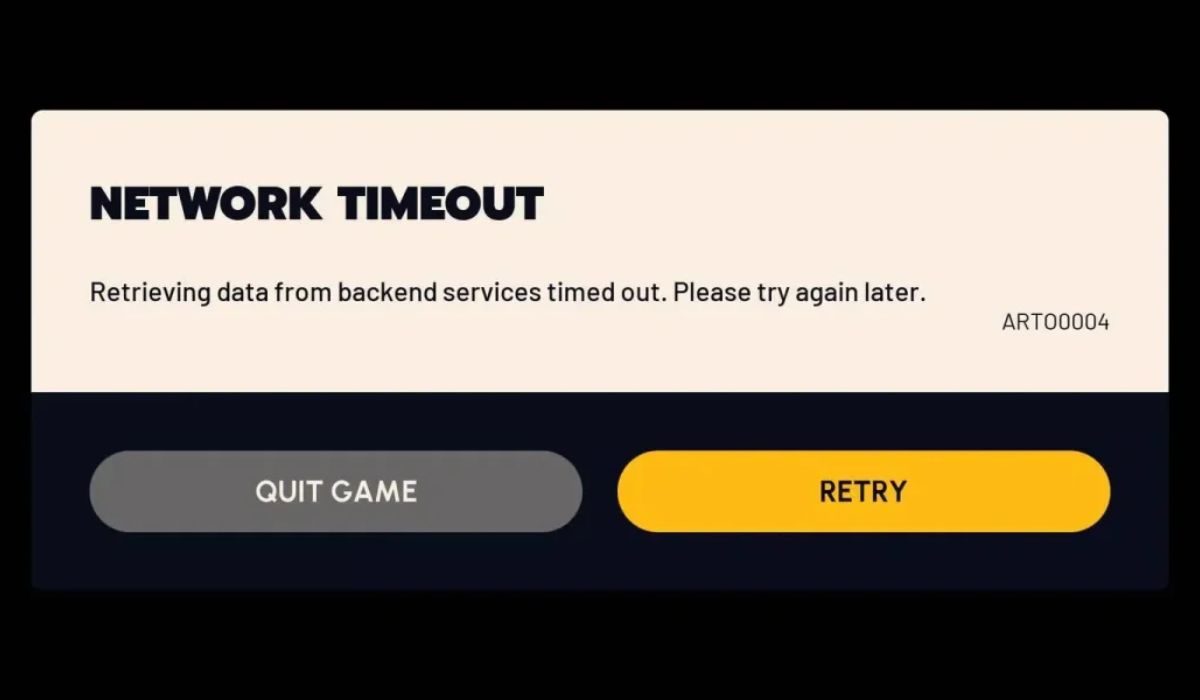
ARC Raiders error ART00004 is a network timeout error. It shows up when the game client tries to contact backend services but does not get a full response before the request expires. In simple terms ARC Raiders is reaching out to online services for login data, account sync, matchmaking details, or other game information, and that connection takes too long or fails midway.
This does not always mean the game is broken. It can mean ARC Raiders servers are busy, under maintenance or having an outage. It can also mean your own connection is unstable, your router is struggling, your DNS path is slow, or a firewall or VPN is getting in the way.
What Causes ARC Raiders Error ART00004?
ARC Raiders error ART00004 usually appears when the game cannot connect to backend services within the required time. The cause may be on the server side or somewhere in your local network setup.
Common causes include:
- Temporary ARC Raiders server outage
- Backend service overload or maintenance
- Weak or unstable internet connection
- High latency or packet loss
- Router or modem issue
- DNS or network routing problem
- Firewall, antivirus, or security software interference
- VPN conflict
- Outdated ARC Raiders game client
- Steam, console network, or launcher connection issue
How to Fix ARC Raiders Error ART00004
If you are seeing ARC Raiders error ART00004, follow the fixes below one by one until the game connects normally again. Test the game after each fix. That makes it easier to see whether the problem comes from ARC Raiders servers, your internet connection, or the game client on your device.
1. Wait a minute and try again
This is a timeout error so sometimes the fastest fix is the easiest one. If backend services are overloaded for a short time or the server connection drops for a moment, the next attempt may work without changing anything.
Do not spam Retry over and over. Wait a little then try again once. A short pause can help when ARC Raiders servers are dealing with traffic spikes or brief service instability.
2. Check if ARC Raiders servers are down
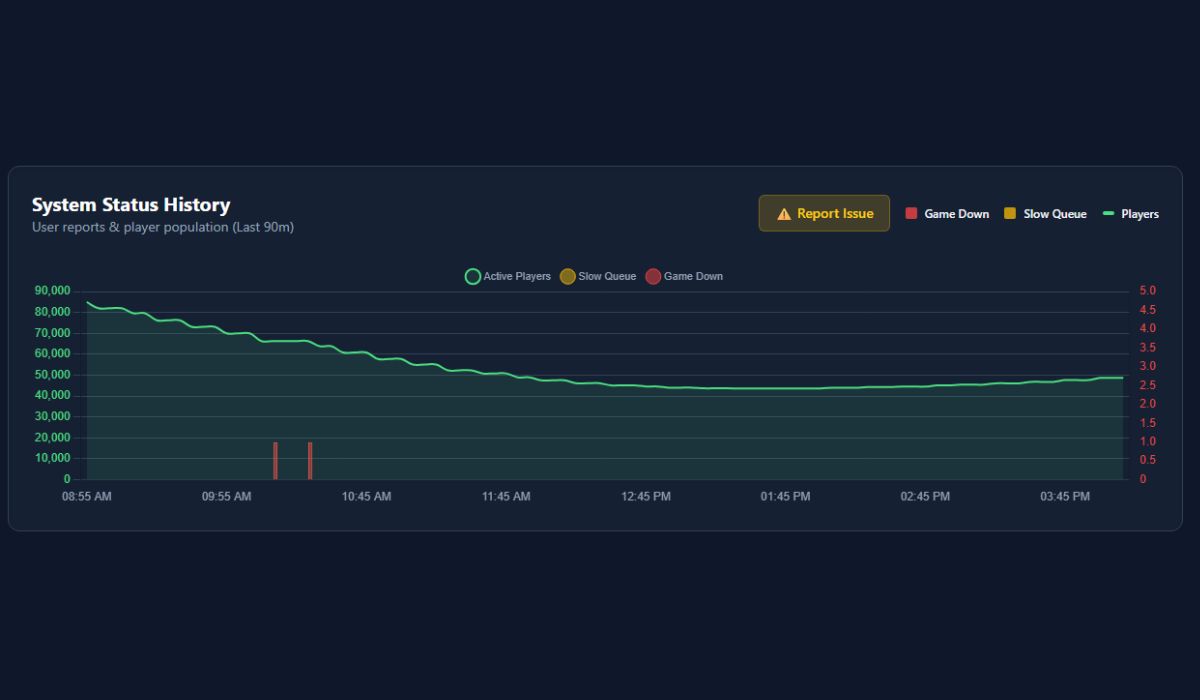
When ARC Raiders backend services are down, retrying will not solve the problem until the servers recover. That is why this check matters early. If the login servers or online services are having an outage, the error is not really on your side.
Look at official ARC Raiders channels, server status posts, or community reports. If many players are seeing Network Timeout and ART00004 at the same time, the issue is likely server-side. In that case, waiting is usually the only real fix.
3. Restart ARC Raiders and your launcher or platform
A full restart of the game can refresh the connection request to backend services. If the first login attempt got stuck, the second launch may create a cleaner session with the servers.
Close ARC Raiders fully. Then close your launcher too, such as Steam or Epic Games Launcher if you play on PC. On console, return to the dashboard and quit the game completely before opening it again.
This matters because sometimes the problem is not your internet. It is the game session itself. A broken launcher handshake, an expired login token, or a stuck platform connection can all lead to ART00004.
4. Restart your router and modem
Home network equipment can cause timeout errors when the connection becomes unstable. A router restart refreshes the link between your device, your internet provider, and the game servers. It can also clear temporary routing problems that affect online games more than normal browsing.
Turn off the router and modem for about a minute, then turn them back on. Wait until the connection is fully back before opening ARC Raiders again.
This fix is more useful than many players think. A connection can look fine for websites and still be bad enough to break a live game request.
5. Switch from Wi-Fi to Ethernet if possible
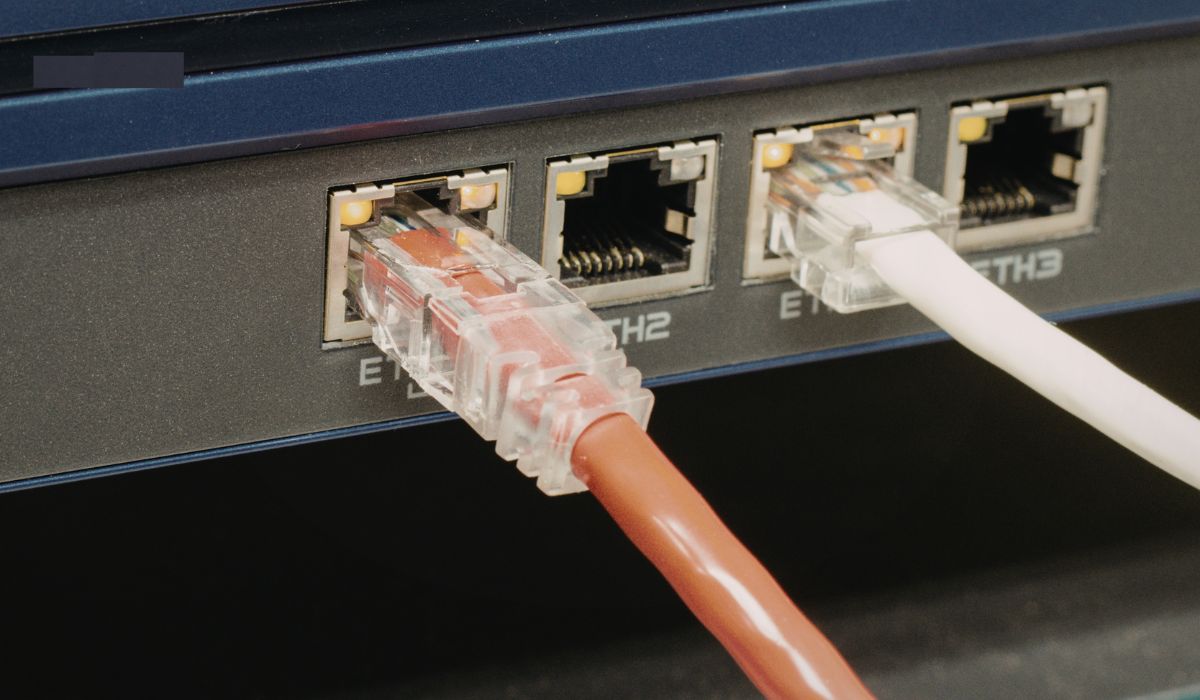
Wi-Fi is more likely to cause packet loss, jitter, and sudden latency spikes than a wired connection. ARC Raiders relies on stable communication with backend services, so an unstable wireless signal can turn into a timeout error fast.
If you can, connect your PC or console with Ethernet and test the game again. Even a quick wired test can tell you whether Wi-Fi is the main problem. If the error disappears on Ethernet, your wireless network is likely the weak point.
6. Disable VPN or custom DNS settings
VPNs, smart DNS tools, and custom routing setups can interfere with the game’s path to backend services. Sometimes they add delay. Sometimes they change how the request reaches the server. Sometimes they block it enough to trigger a timeout.
If you use a VPN, turn it off before launching ARC Raiders again. If you changed your DNS recently, try switching back to your default network settings for a test. A direct normal connection is the best way to rule out routing conflicts.
7. Check firewall and antivirus settings
Security software can block or delay a game’s outbound connection. That includes Windows Firewall, antivirus suites, and some network protection tools. If ARC Raiders or its launcher cannot communicate with backend services properly, ART00004 can appear even when your internet is working.
A quick check can help here:
- Open your firewall or antivirus settings
- Look for blocked apps or recent connection alerts
- Check whether ARC Raiders or the launcher is restricted
- Add the game and launcher as allowed apps if needed
- Restart the game and test again
This is more common on PC, but similar security rules can also exist on some networks or routers.
8. Verify the ARC Raiders game files
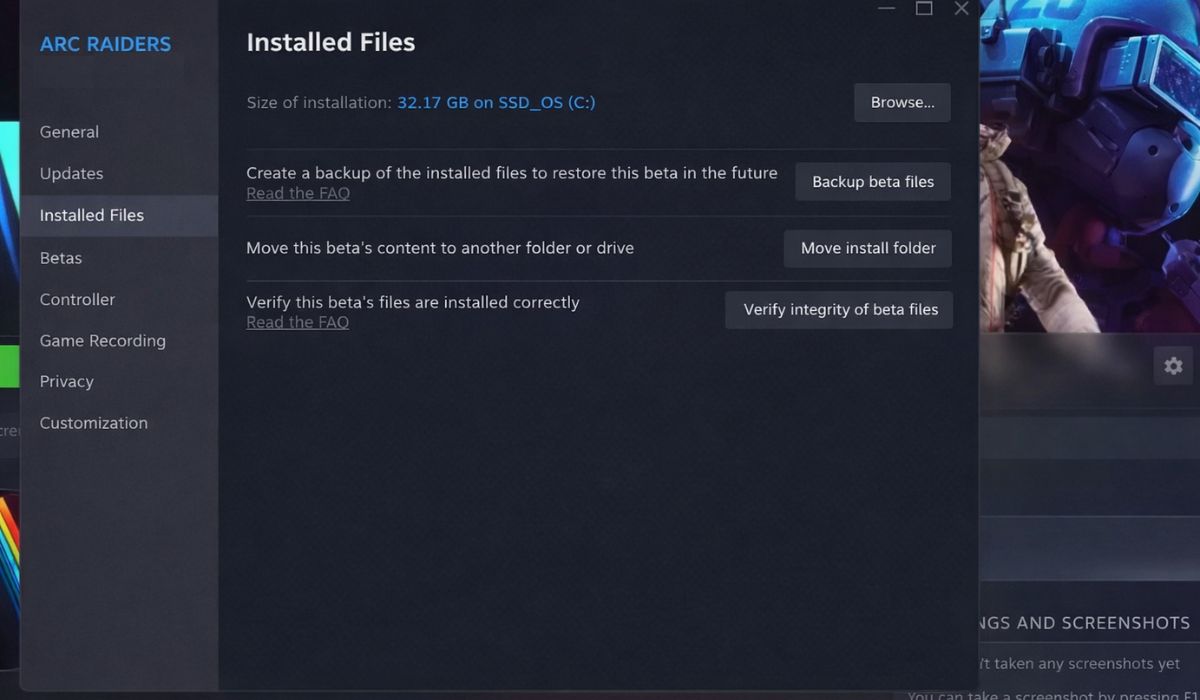
Damaged or incomplete files can cause strange online errors too, especially after an update or interrupted install. The game may fail while loading the modules that handle login, account sync, or backend communication. It looks like a network issue, but the root cause can still be local.
Use your launcher to verify the game files. On Steam or Epic Games Launcher, the repair or verify option checks the install and replaces missing or corrupted files. This is a good fix if ART00004 started right after a patch, crash, or failed update.
9. Update ARC Raiders and your platform software
An outdated game build can struggle to connect to current backend services. The same goes for old launcher software, old console firmware, or outdated Windows network components. If the game client and server version stop matching well enough, connection errors can start showing up.
Check for an ARC Raiders update first. Then check your platform software, whether that means Windows, Steam, console system software, or launcher updates. Install anything pending, restart the device, and try again.
10. Try a different network
This is one of the best tests when you cannot tell whether the issue is local or server-side. If ARC Raiders connects normally on another network, then your home internet, router, DNS, or firewall setup is likely causing the problem.
You do not need a permanent new connection for this test. Even a temporary mobile hotspot can help you confirm whether the original network is the issue. If the error stays on both networks, then the cause is more likely ARC Raiders servers or the game client.
11. Reinstall ARC Raiders as the last fix
If nothing else works, reinstalling ARC Raiders is the final step. A clean reinstall can help if the game client, install files, or network-related modules are damaged beyond simple repair. It can also remove bad leftovers from a broken patch.
This takes the most time, so save it for last. Before reinstalling, make sure your launcher is updated and your connection is stable. Then install the game again, let all files finish downloading, and test before changing extra settings.
Final Check Before You Launch Again
After each fix, open ARC Raiders and test it before moving to the next one. That slower approach saves time in the end because it helps you spot the real cause. If the error goes away after a router restart, then your local network was likely the issue. If it only goes away after a server outage ends, then the problem was on the backend side all along.
Go step by step. ART00004 usually comes down to servers, connection stability, routing, or the game client.
Wrap-up
ARC Raiders error ART00004 looks like a simple retry problem at first, but the real cause can sit in several places. The backend services may be down. Your Wi-Fi may be unstable. Your router may need a restart. A VPN, firewall, or damaged game file may also be blocking the connection.
Start with the quick checks, then move to the stronger fixes if needed. If this guide helped, share it with other ARC Raiders players. You can also leave a comment with the fix that worked for you so others can solve ART00004 faster.