
QR codes are everywhere. On menus. On flyers. On product boxes. Even on business cards. They are small squares packed with big power. For small businesses, they are a simple way to connect offline customers to the online world. And the best part? Creating them is easy and often free.
TLDR: QR codes help small businesses connect with customers fast. There are many easy tools that let you create custom, trackable, and branded QR codes in minutes. Some tools are free, while others offer advanced features like analytics and design control. Below are 10 great QR code generators, plus a comparison chart to help you choose the right one.
Let’s explore ten QR code creation tools every small business should know about. We’ll keep it simple. And maybe even fun.
1. QR Code Generator by The QR Code Generator
This tool is popular for a reason. It’s easy to use. Clean design. No tech skills needed.
- Free and paid plans
- Custom colors and logos
- Download in high resolution
- Track scans with paid version
You can create a basic code in seconds. Just paste your link. Click download. Done.
If you want scan tracking and editing after printing, you’ll need a paid plan. But for simple needs, it works great.
2. Beaconstac
Beaconstac is more advanced. It’s built for marketing. Perfect for businesses that love data.
- Dynamic QR codes
- Detailed analytics
- Campaign tracking
- Integrations with CRM tools
This one is not just about creating codes. It’s about understanding who scans them and why.

It costs more. But if QR codes are part of your marketing strategy, it may be worth it.
3. Canva
Yes, Canva makes QR codes too.
If you already design posters or social media graphics in Canva, this is super convenient.
- Free QR code generator
- Add directly to designs
- No separate download needed
It’s basic. No deep analytics. But for event flyers, menus, and business cards, it’s perfect.
Simple. Visual. Quick.
4. QR Stuff
This tool has been around for years. It supports many data types.
- URLs
- Phone numbers
- WiFi access
- PayPal links
You can choose different colors. Even change the data modules shape.
It’s not the prettiest interface. But it’s reliable.
5. The QR Code Generator by Bitly
Bitly is famous for link shortening. They also offer QR codes.
- Shortened links included
- Scan tracking
- Branded domains
If you already use Bitly, this makes sense. Everything stays in one place.
You can see how many people clicked your link and scanned your code. That’s powerful insight for small campaigns.
6. GoQR.me
This one is super simple. And totally free.
- No account required
- Instant creation
- Supports text, SMS, phone, URL
You just type your content. The QR code appears instantly.
No fancy features. No analytics. But for quick needs, it’s excellent.
Think classroom handouts. Quick signage. Temporary promotions.
7. Shopify QR Code Generator
If you run an online store, this is for you.
- Create product page QR codes
- Directs to checkout
- Free to use
This is great for physical packaging. Or pop-up shops.
Customers scan. They land on your product page. Easy purchase.

It connects your physical and digital stores beautifully.
8. Visualead
This tool focuses on design.
Want a QR code shaped around your logo? This might be your pick.
- Highly customized designs
- Branded QR code art
- Marketing-focused
The codes look less “technical” and more “fun.”
This is perfect for hospitality businesses. Cafes. Boutiques. Creative brands.
Because let’s face it. Design matters.
9. QR Code Chimp
Fun name. Strong features.
- Custom shapes
- Logo embedding
- Landing page builder
- Basic analytics
You can create digital business cards with it. Also called vCards.
This is great for networking events. Trade shows. Service providers.
10. Unitag QR Code Generator
Unitag is known for customization.
- Color control
- Gradients
- Logo insertion
- High resolution downloads
It offers both free and paid plans.
The interface is smooth. Very visual. And beginner-friendly.
Comparison Chart
| Tool | Free Version | Custom Design | Analytics | Best For |
|---|---|---|---|---|
| QR Code Generator | Yes | Yes | Paid Plan | General Business Use |
| Beaconstac | Trial | Yes | Yes | Marketing Campaigns |
| Canva | Yes | Basic | No | Design Projects |
| QR Stuff | Yes | Limited | Paid Plan | Multiple Data Types |
| Bitly | Limited | Basic | Yes | Link Tracking |
| GoQR.me | Yes | No | No | Quick Free Codes |
| Shopify | Yes | No | Basic | Ecommerce Stores |
| Visualead | Trial | Advanced | Yes | Creative Branding |
| QR Code Chimp | Yes | Yes | Basic | Digital Business Cards |
| Unitag | Yes | Advanced | Paid Plan | Branded Codes |
How to Choose the Right QR Code Tool
Not all businesses need the same features.
Ask yourself:
- Do I need scan tracking?
- Do I want to change the link later?
- Is branding important?
- What is my budget?
If you just need a simple static code, many free tools will work.
If you plan large campaigns, choose a dynamic QR code tool with analytics.
Dynamic codes let you change the destination link without reprinting the code. That’s huge. Especially if you’ve printed 1,000 flyers.
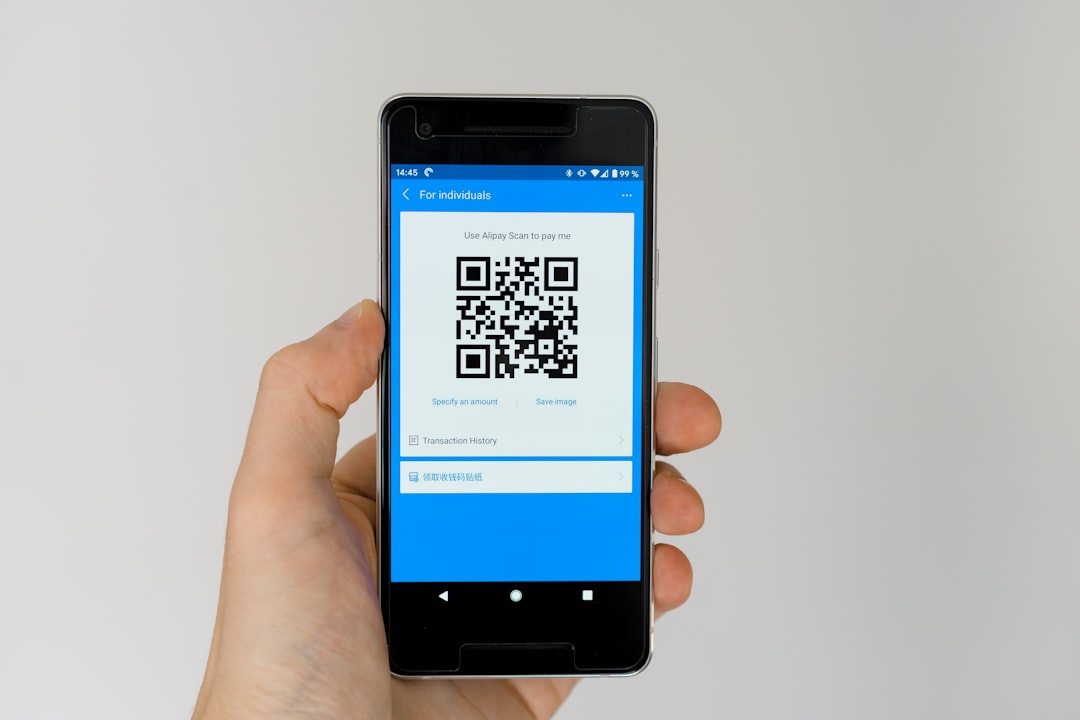
Creative Ways Small Businesses Use QR Codes
Need inspiration? Here are fun ideas:
- Restaurant menus – No reprinting needed.
- Google review links – Make it easy for customers.
- Discount coupons – Instant promo access.
- Event check-ins – Fast and paperless.
- WiFi access – One scan to connect.
- Video demos – Show products in action.
They save time. They reduce printing costs. They connect customers to action immediately.
Final Thoughts
QR codes are no longer “techy.” They are normal. Customers expect them.
For small businesses, they are affordable. Flexible. Powerful.
You don’t need a big budget. You don’t need coding skills. You just need the right tool.
Start simple if needed. Test. Learn. Improve.
A small square can open a big door.
And now, you know exactly which tools can help you build it.