



Sometimes you open Netflix, expect the app to load, and instead you see error code E100. The app may stop at the loading screen or fail when profiles should appear. This can feel confusing because your internet may seem fine and other apps may work. This error usually means Netflix cannot load required data to continue.
In this article, you will learn what Netflix error code E100 means, where it shows up, why it happens, and how to avoid seeing it again in the future.
What Is Netflix Error Code E100?
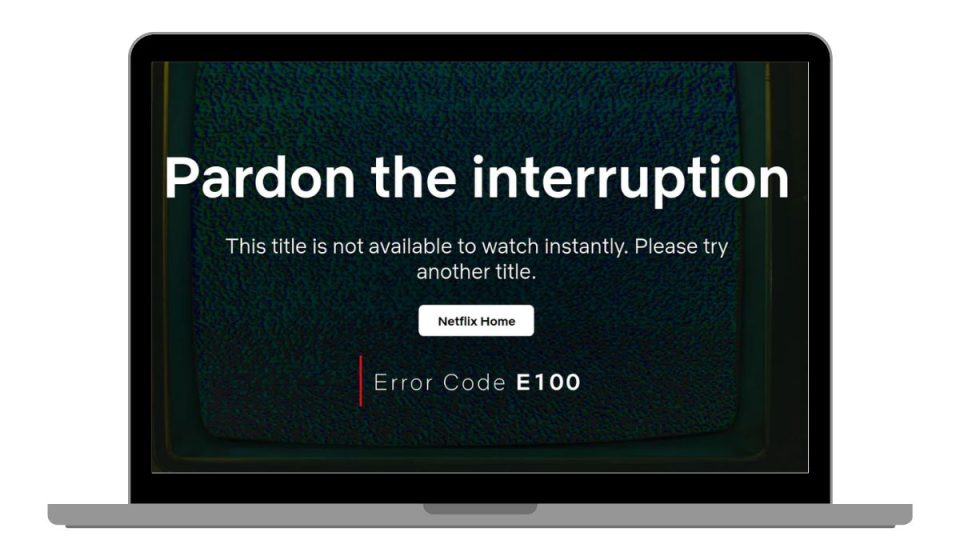
Netflix error code E100 means the app cannot load or process essential data needed to run. This usually happens when the Netflix app fails during startup or profile loading. The problem often sits between the Netflix app, the device it runs on, and how that device stores temporary data. When this process breaks, the app stops before streaming can begin.
Users usually see this error when opening the Netflix App on a Smart TV, Android TV, Fire TV, mobile device, or game console. It can appear right after launching the app or when selecting a user profile. The app does not crash fully, but it cannot move forward.
Common Causes of Netflix Error Code E100
This error can happen for several reasons, mostly related to how the Netflix app stores data or how the device communicates with Netflix servers. Even small issues can stop the app from loading correctly.
Common causes include:
- Corrupted cache or temporary data in the Netflix app
- Outdated Netflix app version
- Limited device memory or storage space
- Unstable internet connection during app loading
- DNS or network routing issues
- Device firmware or system compatibility problems
- Temporary Netflix service issues
Any of these can prevent the app from loading properly.
How to Fix Netflix Error Code E100
This error usually appears when the Netflix app cannot load the data it needs to start. In most cases, the problem comes from app cache, device memory, or a short network issue.
Start with the basic fixes first. Many users fix error code E100 without changing accounts or reinstalling everything.
Fix #1: Restart the Netflix App and Your Device
Temporary app or system glitches can block Netflix during startup. Restarting clears short-term memory issues and reloads the app environment. After restarting, the app often loads profiles and content normally without showing error code E100.
Fix #2: Check Your Internet Connection Stability
Netflix needs a stable connection when the app loads. If the connection drops or slows down at that moment, the app may fail.
Make sure your internet is steady by doing the following:
- Restart your router
- Avoid switching networks while opening Netflix
- Test another app to confirm the connection works
Once the connection stays stable, Netflix usually opens without errors.
Fix #3: Clear Netflix App Cache or App Data
Corrupted cache files are a common cause of this error. Clearing cache removes broken data and forces the app to rebuild clean files.
Follow the steps below to clear Netflix app cache:
- Open device settings
- Go to Apps or Application Manager
- Select Netflix
- Tap Storage
- Choose Clear Cache
- Reopen the app and try again
This does not delete your account or subscription.
Fix #4: Update the Netflix App
An outdated app version may stop working correctly with current Netflix systems. Updating the app fixes known bugs and improves compatibility.
Here’s how to update the app safely:
- Open your device’s app store
- Search for Netflix
- Tap Update if available
- Wait for the update to finish
- Restart the app
Many loading errors disappear after updating.
Fix #5: Restart or Update Your Smart TV or Device
Smart TVs and streaming devices store app data at the system level. Restarting clears hidden memory issues. Updating device software fixes compatibility problems.
Turn off the device, unplug it for a short time, then power it back on. If updates are available, install them before opening Netflix again.
Fix #6: Sign Out and Sign Back Into Netflix
Sometimes the app keeps an outdated session. Signing out refreshes your account connection and reloads app data.
You can do this by:
- Opening Netflix
- Going to account or settings
- Signing out
- Closing the app
- Signing back in
After this, the app often loads without error code E100.
Fix #7: Try a Different Device or Network
This step helps confirm where the issue is coming from. If Netflix works on another device or network using the same account, the problem stays with the original device or connection. That makes it easier to focus on the real cause.
Prevention Tips to Avoid Netflix Error Code E100 in the Future
Preventing this error is often easier than fixing it after it appears. Keeping the Netflix app and your device in good condition helps avoid loading problems. Small maintenance steps can make streaming more reliable.
To reduce the chance of seeing error code E100 again:
- Keep the Netflix app updated
- Restart your device regularly
- Maintain enough free storage space
- Use a stable internet connection
- Keep device firmware up to date
- Clear app cache occasionally
- Sign out and back in after major updates
Conclusion
In short, Netflix error code E100 appears when the app cannot load the data it needs to run. The issue usually relates to app cache, device storage, network communication, or system compatibility.
Understanding the causes and prevention tips can save time and frustration. If this error continues after basic checks, contacting official Netflix support may be necessary. If this article helped you, consider sharing it and leaving a comment about your experience.