



If you want to cancel Hulu, the first thing to check is who bills you. Hulu says the steps depend on your billing party, and some users must cancel on Hulu.com while others need to use Apple or Google Play instead. Hulu also notes that canceling the subscription does not delete your Hulu account.
What does it mean to cancel a Hulu subscription?
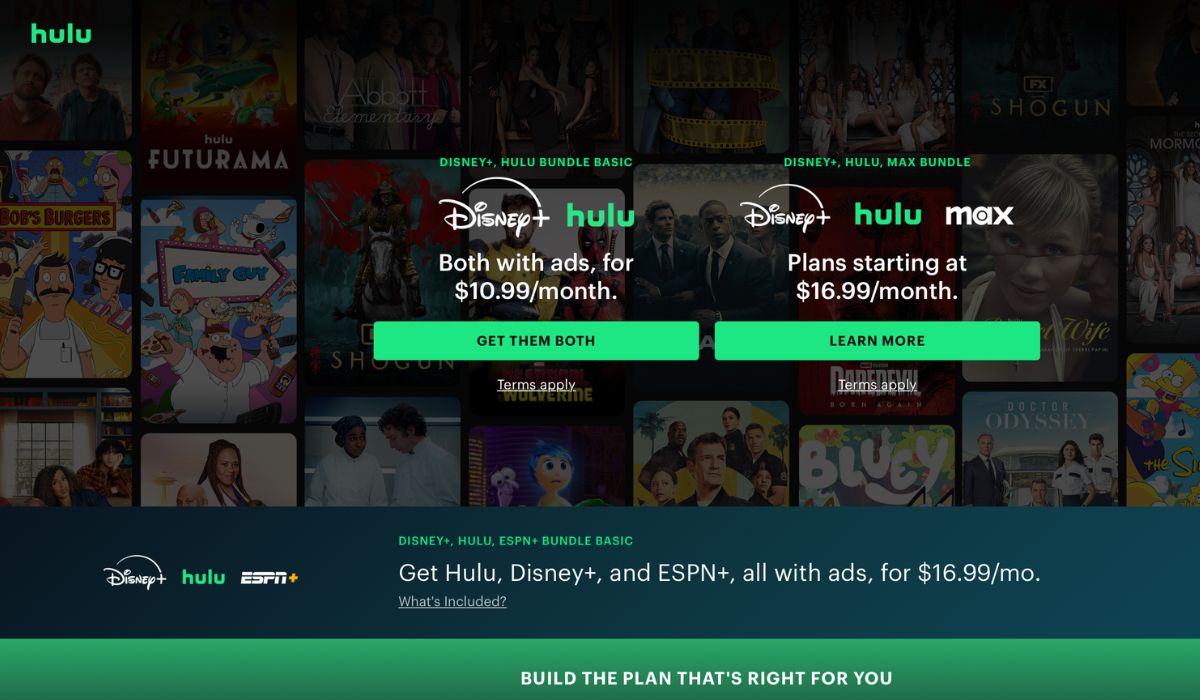

When you cancel Hulu, you usually stop the next renewal, not your current access right away. Hulu-billed subscribers can cancel at any time, and the account normally stays active until the current billing period ends. Hulu also says canceling does not delete your Hulu account or your Disney account if it is connected to other Disney products.
That matters because some people want to stop charges only, while others think cancellation removes the full account. It does not. In most cases, it just turns off future billing and lets the current plan run until its end date.
Why do people get confused when canceling Hulu
Many users get stuck because Hulu billing is not always handled by Hulu itself. Hulu says plan changes and subscription management depend on the billing party, and you can confirm that on the Hulu Account page under Payment Information.
Common reasons include:
- The plan is billed directly through Hulu
- The subscription is billed through Apple
- The plan is billed through Google Play
- The user is logged into the wrong Hulu account
- The person is trying to manage the plan in Hulu when a third party handles billing
- The user is trying to cancel an add-on instead of the full plan
How to cancel your Hulu subscription
To stop future Hulu charges, use the right method for the place that bills you. Start there, then check for a confirmation email or an account page update after canceling. Hulu’s official help page says Hulu-billed subscribers can cancel through their account, while third-party-billed users need to cancel through that outside provider.
1. Cancel Hulu on the Hulu website
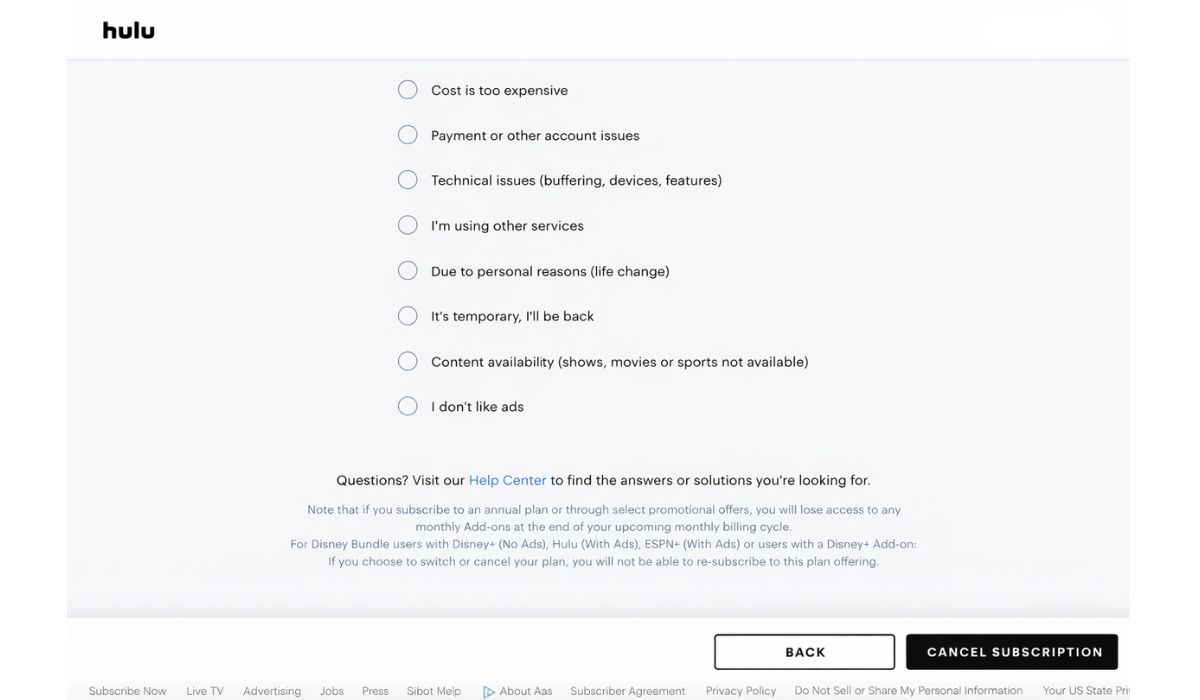
Use this method if Hulu bills you directly. Hulu’s official help article says Hulu-billed subscribers can cancel from their Hulu account.
Follow these steps:
- Sign in to your Hulu account
- Open the Account page
- Find your subscription or billing section
- Choose Cancel
- Follow the prompts until the cancellation is confirmed
- Check for an updated account status or confirmation email
If the cancel option is missing, Hulu may not be your billing party. In that case, check Apple, Google Play, or another provider instead. Hulu says the billing party determines which steps apply.
2. Cancel Hulu on iPhone or iPad
If Apple bills your Hulu subscription, cancel it through Apple Subscriptions, not only through Hulu. Apple’s support page says subscriptions purchased through the App Store can be canceled from the Apple subscription settings on your device or on the web.
Use these steps on iPhone or iPad:
- Open Settings
- Tap your Apple ID
- Tap Subscriptions
- Select Hulu
- Tap Cancel Subscription
- Confirm the cancellation
After that, check the subscription screen again to make sure Hulu shows an end date or canceled status. Apple says subscriptions can be managed and canceled directly from that section.
3. Cancel Hulu on Android through Google Play
If Google Play bills you, cancel the subscription in Google Play. Google’s help page says subscriptions on Google Play continue each billing cycle unless you unsubscribe, and the cancellation steps happen inside the Play Store subscription settings.
Follow these steps:
- Open the Google Play Store
- Tap your profile icon
- Open Payments and subscriptions
- Tap Subscriptions
- Choose Hulu
- Tap Cancel subscription
- Follow the prompts to finish
Google also notes that you should sign in to the Google Account that holds the subscription. That helps if Hulu does not appear at first.
4. Cancel Hulu through another billing partner
Some Hulu subscriptions are managed by a third party instead of Hulu. Hulu’s help page says third-party-billed subscriptions must be canceled through that billing partner, not through the Hulu account page.
That means your next step is to check your payment source and billing emails. If the charge comes from another company, open that provider’s subscription settings and cancel Hulu there.
A few quick checks help:
- Look at your bank or card statement
- Search your email for Hulu billing messages
- Check whether the charge comes from Apple, Google Play, or another service
- Open that service’s subscription section and manage Hulu there
5. Check that the cancellation is complete
This part matters. A lot of people start canceling, then stop before the final confirmation. After you cancel, look for proof that renewal is off. That can be a confirmation email, a cancel notice, or an account page that shows the subscription will end instead of renew. Hulu’s help content centers account management around the Account page and billing details, while Apple and Google both show updated subscription status inside their subscription tools.
What happens after you cancel Hulu?
In most cases, Hulu access continues until the current billing cycle ends. Hulu’s official cancellation page says subscribers can cancel at any time, and the account can later be renewed if they want to come back. Hulu also says cancellation does not delete the Hulu account.
That means your profiles and account login are usually still there. The service just stops renewing when the current paid period finishes. If you decide to subscribe again later, Hulu says renewal is possible.
Can you pause Hulu instead of canceling it?
Yes, in some cases. Hulu says you can pause a subscription for up to 12 weeks if you know you will not be using the account for a short time. Hulu also says you can resume early if you want to come back before the pause ends.
That makes pause a good option for travel, a short break, or a month when you do not plan to watch much. It is not the same as full cancellation, though. Pause is temporary. Cancellation turns off renewal.
What to do if you cannot cancel Hulu
If the cancel option is missing, the issue is usually one of a few common things.
- Check if you are logged into the right Hulu account
If you use more than one email or login, you may be viewing the wrong account. That can make the subscription look like it is missing. - Check who bills you
Hulu says the billing party controls the cancellation method. You can confirm your billing party on the Hulu Account page under Payment Information. - Check Apple or Google Play if needed
If Hulu was purchased through Apple or Google Play, use those subscription tools instead. Apple and Google both provide direct cancellation flows for subscriptions billed through their stores. - Contact support if the subscription still does not appear
Hulu’s Help Center has an Account & Billing support area and contact page for users who still cannot manage the subscription normally.
Final check before your next billing date
Before the next renewal date, check one last time that the plan shows canceled or that the renewal date is no longer active. Review the Hulu account page if Hulu bills you, or the Apple or Google subscription page if they bill you. That one extra check can save you from an unwanted charge.
Wrap-up
Canceling Hulu is usually simple once you find the right billing source. If Hulu bills you, use the Hulu Account page. If Apple or Google bills you, cancel it there. And if you only need a short break, Hulu says a pause of up to 12 weeks may be available.
If this guide helped, share it with someone else trying to stop Hulu charges. You can also leave a comment with the method that worked for you.