



For organizations that depend on WordPress for publishing, ecommerce, lead generation, or customer support, website performance is no longer a technical detail. It directly affects user experience, search visibility, conversion rates, and brand credibility. Cloud WordPress hosting has become a preferred approach because it is designed to deliver faster pages, handle changing traffic levels, and reduce the risk of downtime compared with many traditional hosting environments.
TLDR: Cloud WordPress hosting improves speed by distributing resources intelligently, using modern caching, and reducing server bottlenecks. It improves scalability by allowing websites to access more CPU, memory, storage, and bandwidth as demand increases. It improves reliability by reducing dependence on a single physical server and by using redundancy, monitoring, backups, and failover systems. For serious WordPress sites, cloud hosting provides a stronger foundation for growth and stability.
Why Hosting Matters for WordPress Performance
WordPress is flexible, widely supported, and capable of powering everything from small blogs to high-traffic business websites. However, its performance depends heavily on the hosting environment behind it. Themes, plugins, database queries, media files, and user requests all place demands on the server. If that server is slow, overloaded, or poorly configured, even a well-designed WordPress site can feel sluggish or unreliable.
Traditional shared hosting often places many websites on the same physical server. This can be economical, but it also means that resources are limited and shared among multiple customers. If another site on the same server experiences a traffic spike or consumes excessive resources, your website may slow down as a result. Cloud hosting addresses this limitation by using a network of servers and virtualized resources rather than relying on one machine.
In practical terms, cloud WordPress hosting gives a website more room to perform consistently. It can allocate resources more efficiently, route traffic intelligently, and support infrastructure features that improve uptime and speed. For businesses, publishers, and online stores, this can translate into measurable benefits.


How Cloud WordPress Hosting Improves Speed
Speed is one of the most important reasons to consider cloud hosting. Visitors expect pages to load quickly, particularly on mobile devices. A delay of only a few seconds can increase bounce rates and reduce engagement. Search engines also consider performance signals when evaluating user experience, making speed an important factor in long-term visibility.
1. Better Resource Allocation
Cloud hosting platforms can assign computing resources such as CPU, RAM, and storage performance more dynamically than traditional hosting. Instead of being confined to the fixed limitations of a single shared server, a cloud-hosted WordPress site can benefit from infrastructure designed to distribute workloads more efficiently.
This is especially useful for WordPress because page generation often involves database calls, PHP execution, plugin processing, and media delivery. When resources are properly allocated, these tasks complete faster, reducing the time it takes for the server to respond to a visitor’s request.
2. Advanced Caching Layers
Many managed cloud WordPress hosting services include multiple caching layers. Caching stores ready-made versions of pages or assets so the server does not need to rebuild them from scratch every time someone visits. This can significantly reduce load times and server strain.
Common caching methods include:
- Page caching: Stores complete HTML versions of pages for faster delivery.
- Object caching: Speeds up repeated database queries, often using tools such as Redis or Memcached.
- Browser caching: Allows visitors’ browsers to reuse static files such as images, CSS, and JavaScript.
- Opcode caching: Improves PHP performance by storing compiled code.
When these caching layers are configured properly, WordPress becomes much more efficient. Visitors receive pages faster, and the hosting environment can support more simultaneous users without becoming overloaded.
3. Faster Global Delivery with CDN Integration
Cloud WordPress hosting often integrates well with a content delivery network, commonly known as a CDN. A CDN stores copies of static files across multiple geographic locations. When someone visits the website, the CDN serves files from a location closer to that visitor.
For example, if a company’s main hosting environment is in Europe but a visitor is located in North America or Asia, a CDN can reduce the distance data must travel. This lowers latency and improves load speed. For international websites, ecommerce stores, and media-heavy WordPress sites, CDN integration can make a noticeable difference.
4. Optimized Server Technology
Cloud WordPress hosting providers frequently use modern server stacks optimized for WordPress. This may include current PHP versions, high-performance web servers, database tuning, HTTP/2 or HTTP/3 support, image optimization, and secure SSL configuration. These technical details matter because each one contributes to faster request handling and smoother page delivery.
A fast website is rarely the result of one feature alone. It is usually the outcome of several well-configured systems working together: efficient server resources, caching, database performance, optimized code, and smart content delivery.
How Cloud Hosting Strengthens Scalability
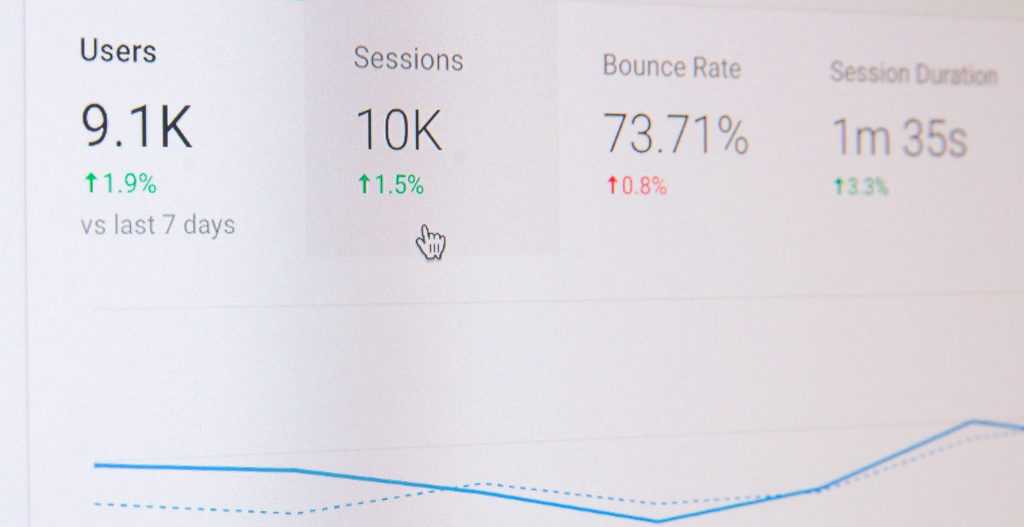
Scalability is the ability of a website to handle growth without losing performance. Growth may be planned, such as a marketing campaign, product launch, or seasonal sale. It may also be unexpected, such as a news mention, viral post, or sudden increase in search traffic. In either case, a WordPress site needs infrastructure that can respond quickly.

1. Handling Traffic Spikes
On traditional hosting, a sudden increase in traffic can overwhelm the server. Pages may load slowly, checkout processes may fail, or the site may become unavailable. Cloud hosting is better suited to traffic spikes because resources can often be scaled up more quickly.
Depending on the hosting service, scaling may be automatic or manually controlled. In managed cloud WordPress hosting, the provider may monitor usage and allocate additional resources when needed. This helps keep the website accessible during high-demand periods.
2. Flexible Resource Expansion
As a website grows, it may require more storage, processing power, database capacity, or bandwidth. Cloud hosting makes this expansion easier because resources are virtualized. Instead of migrating immediately to a larger physical server, a site can often be upgraded within the same cloud environment.
This flexibility is valuable for businesses because it supports gradual investment. A company does not need to overpay for large infrastructure before it is needed, but it also does not have to remain trapped in a hosting plan that cannot support growth.
3. Better Support for Ecommerce and Membership Sites
Not all WordPress sites place the same demands on hosting. A simple brochure website may be relatively light, while an ecommerce store, learning platform, or membership site may require far more server power. These dynamic sites often process logins, shopping carts, payments, account pages, and personalized content that cannot always be fully cached.
Cloud hosting is particularly useful for dynamic WordPress websites because it can provide stronger database performance and more adaptable resources. During a sale or enrollment period, for example, the infrastructure can better support a larger number of active users performing complex actions at the same time.
How Cloud WordPress Hosting Improves Reliability
Reliability means that a website remains available and functions correctly when users need it. Downtime damages trust, interrupts revenue, and can harm customer relationships. For websites that support sales, bookings, donations, or essential communication, reliability is a business requirement.
1. Reduced Dependence on a Single Server
One of the main reliability advantages of cloud hosting is that it reduces dependence on one physical server. In a traditional setup, if the server fails, the website may go offline until the issue is repaired. In a cloud environment, workloads can often be distributed across multiple machines or moved to healthy infrastructure if a problem occurs.
This does not mean cloud hosting is immune to outages. No hosting platform can honestly guarantee that failures will never occur. However, cloud architecture is generally designed with redundancy in mind, which can reduce both the likelihood and duration of service interruptions.
2. Built-In Redundancy and Failover
Reliable cloud hosting platforms use redundancy for important components such as storage, networking, and compute resources. If one component fails, another can take over. This process is often called failover.
For WordPress site owners, the benefit is straightforward: the website is less likely to be taken offline by a single hardware issue. In well-managed environments, failover systems operate quietly in the background, helping maintain continuity without requiring the site owner to intervene.
3. Automated Backups and Recovery Options
Backups are essential for WordPress reliability. Updates, plugin conflicts, security incidents, accidental deletions, and database errors can all create serious problems. Many cloud WordPress hosting plans include automated backups that can be restored if something goes wrong.
A reliable backup strategy should include:
- Frequent backups based on how often the website changes.
- Off-site storage to protect backups from the same failure affecting the live site.
- Easy restoration so recovery does not require complex manual work.
- Testing procedures to confirm that backups are complete and usable.
Backups do not prevent every issue, but they greatly reduce the impact of many common WordPress problems. A website that can be restored quickly is far more resilient than one without a dependable recovery plan.

4. Continuous Monitoring and Security Controls
Many cloud WordPress hosting providers include monitoring systems that track server health, traffic levels, uptime, and potential security threats. This is important because problems are easier to resolve when they are detected early.
Security features may include firewalls, malware scanning, DDoS protection, SSL management, login protection, and automatic software updates. While no hosting provider can replace responsible website administration, a strong cloud platform adds important layers of protection.
Reliability is not only about keeping the server online. It also involves protecting the site from avoidable failures, maintaining clean backups, monitoring unusual activity, and responding quickly when issues appear.
Managed Cloud WordPress Hosting vs. Unmanaged Cloud Hosting
It is important to distinguish between managed and unmanaged cloud hosting. Unmanaged cloud hosting gives the user more control but also more responsibility. The site owner or technical team must configure the server, install updates, manage security, optimize performance, and troubleshoot issues.
Managed cloud WordPress hosting is different. It is designed specifically for WordPress and usually includes support, performance tuning, backups, staging environments, security features, and update tools. For many businesses, managed hosting is the more practical choice because it combines cloud infrastructure with professional administration.
The right option depends on the organization’s technical skills, budget, compliance needs, and performance requirements. A development team may prefer unmanaged flexibility, while a business owner may prefer managed reliability and support.
Business Benefits Beyond Technical Performance
The advantages of cloud WordPress hosting are not purely technical. They also support broader business goals. Faster pages can improve visitor satisfaction and increase conversions. Better scalability can support marketing campaigns without fear of website failure. Stronger reliability can protect revenue, reputation, and customer trust.
Cloud hosting can also improve operational efficiency. With automated backups, monitoring, staging tools, and managed updates, teams spend less time responding to hosting problems and more time improving the website itself. This is especially valuable for small and medium-sized organizations that do not have large internal IT departments.
What to Look for in a Cloud WordPress Hosting Provider
Not all cloud hosting services are equal. Before choosing a provider, website owners should evaluate the platform carefully. Important factors include:
- Performance architecture: Look for modern server technology, caching, and CDN compatibility.
- Scalability options: Confirm how resources can be increased during growth or traffic spikes.
- Uptime history: Review reliability claims, service level agreements, and infrastructure design.
- Backup and restore tools: Ensure backups are automatic, frequent, and easy to restore.
- WordPress expertise: Choose support teams that understand WordPress-specific issues.
- Security features: Prioritize firewalls, malware protection, SSL support, and monitoring.
- Transparent pricing: Understand bandwidth, storage, overage fees, and upgrade costs.
The best provider is not always the cheapest one. Hosting should be evaluated in relation to the value of the website. If a site generates revenue, supports customers, or represents a professional brand, unreliable hosting can become far more expensive than a well-managed cloud platform.
Conclusion
Cloud WordPress hosting improves speed by providing stronger resource allocation, advanced caching, optimized server technology, and better global content delivery. It improves scalability by allowing websites to handle traffic spikes and expand resources as business needs grow. It improves reliability through redundancy, failover systems, automated backups, monitoring, and security controls.
For serious WordPress websites, hosting is not just a background service. It is part of the foundation that supports performance, growth, and user trust. A dependable cloud hosting environment helps WordPress operate at its best, giving site owners greater confidence that their website can remain fast, available, and ready for future demand.