


You start generating a song, wait a few seconds, and then an error appears instead of music. That moment is frustrating, especially when everything seemed fine just before. The Suno AI internal server error matters because it can stop music creation, cancel a generation in progress, or block access to the platform for a while. When this happens, work pauses and ideas get stuck.
This guide explains what the error means, why it happens, how it is usually handled, and what you can do to reduce the chances of seeing it again.
What Is the Suno AI Internal Server Error?
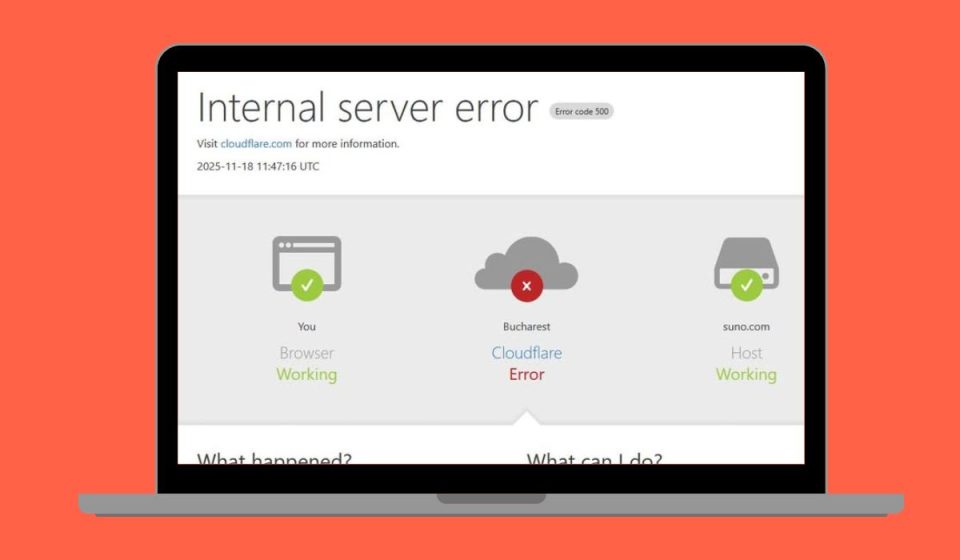
A Suno AI internal server error means the platform received your request but could not complete it on the server side. The system tried to process your music generation, but something failed in the background. This type of error usually points to a problem inside the service rather than a mistake you made.
Most users see this error while using Suno AI during song creation, lyric submission, or audio rendering. It can appear while the page is loading, right after clicking Generate, or midway through the process. The platform does not crash, but the request does not finish.
Common Causes of Suno AI Internal Server Error
This error can appear for several reasons, and the cause may change depending on timing and server load. Sometimes the issue is temporary and comes from high traffic. Other times, browser or session problems play a role. Understanding the common causes helps avoid unnecessary troubleshooting.
Common causes include:
- Temporary server overload during high usage
- Backend service downtime or maintenance
- Unstable or interrupted internet connection
- Corrupted browser cache or session data
- VPN or proxy services interfering with requests
- Account session or authentication issues
- Usage limits or request throttling on the platform
How to Fix Suno AI Internal Server Error?
This error appears when the platform receives your request but cannot finish it on the server. Sometimes the servers are busy. Other times, your browser session or network causes trouble.
Go through the fixes below one by one. After each fix, try generating again on Suno AI.
Fix #1: Refresh the Page and Retry Generation
Small hiccups happen during long sessions. A page refresh clears temporary page state and reloads the generation flow. Refresh once, wait a few seconds, then try again. Avoid clicking Generate many times in a row.
Fix #2: Wait a Few Minutes and Try Again
Internal server errors often happen during high traffic. When many users generate at once, requests can fail. Waiting five to ten minutes gives the system time to recover. Then retry with the same settings.
Fix #3: Check Your Internet Connection Stability
Generation needs a steady connection. Short drops can interrupt the request and trigger an error. Switch to a stronger Wi-Fi signal or wired connection. Pause other downloads, then try again.
Fix #4: Log Out and Log Back Into Your Suno AI Account
Account sessions can lose sync. Logging out resets your session and permissions.
Follow these steps:
- Open your account menu
- Select Log out
- Close the browser tab
- Reopen the site
- Log in again
- Start a new generation
Fix #5: Clear Browser Cache and Site Data
Corrupted site data can break requests. Clearing it forces a clean load.
Follow these steps:
- Open browser settings
- Go to Privacy or Site data
- Find Suno AI
- Clear cache and cookies
- Close the browser
- Reopen and try again
Fix #6: Turn Off VPN or Proxy Services
VPNs and proxies can reroute traffic and confuse server checks. Turn them off completely, restart the browser, and try generating again. If it works, keep the VPN off while using the service.
Fix #7: Try a Different Browser or Device
Sometimes the browser profile causes conflicts. Open the site in a different browser or on another device. If it works there, the issue is tied to your original browser settings or extensions.
Fix #8: Check Suno AI Server Status or Announcements
When servers are down or under maintenance, no local fix will work. Check official announcements or status updates. If there is an outage, the best option is to wait and try later.
Prevention Tips to Avoid Suno AI Internal Server Error in the Future
Preventing this error saves time and avoids failed generations. Small habits can improve stability, especially during busy hours. You do not need advanced technical steps. Simple care works best.
Here are easy prevention tips you can follow:
- Avoid sending many generation requests back to back
- Use a stable and reliable internet connection
- Keep your browser updated
- Avoid VPNs while generating music
- Save lyrics and settings before generating again
- Watch for platform updates or announcements
Conclusion
In short, a Suno AI internal server error means the platform could not finish processing your request. The issue often comes from server load, session problems, or temporary service limits. Most of the time, it is not a permanent problem.
If the error keeps appearing, slow down and take it step by step. Avoid repeated clicks and give the system time to recover. When needed, waiting is the best option. If this article helped you, share it with others and leave a comment about what worked for you.