


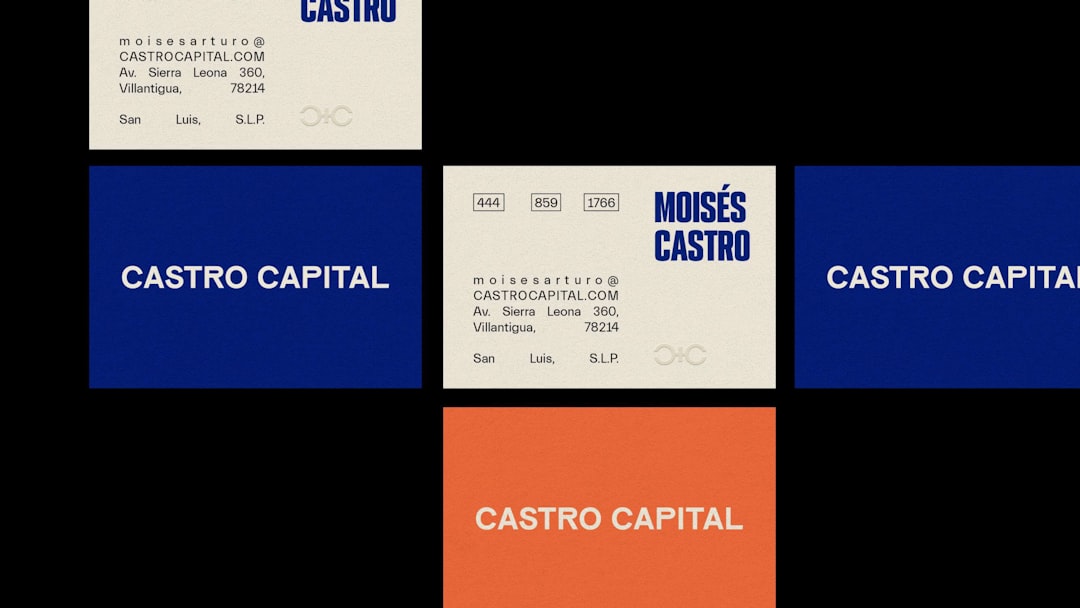
Small businesses often compete with larger brands by making strong first impressions, and a well-designed business card remains one of the most effective offline branding tools. Today, small teams and solo entrepreneurs no longer need advanced design skills or large budgets to produce professional cards. A wide range of digital tools now makes it easy to design, customize, and even print business cards with minimal effort.
TLDR: This article reviews twelve popular business card design tools suitable for small businesses. It explains their main features, ideal use cases, and what makes each one stand out. Readers will learn which tools work best for beginners, teams, or branding-focused businesses. The article also answers common questions at the end to help with decision-making.
Why Business Card Design Tools Matter for Small Businesses
Business cards still play a critical role in networking, trade shows, local marketing, and client meetings. For small businesses, design tools eliminate the need to hire professional designers for every update. These platforms offer templates, brand asset storage, and export options that fit modern workflows. Choosing the right tool ensures consistency, cost efficiency, and speed.

1. Canva
Canva is widely used by small businesses due to its ease of use and massive template library. With drag-and-drop editing, users can quickly customize layouts, colors, fonts, and logos.
- Large collection of business card templates
- Free and paid versions available
- Built-in printing and digital sharing options
2. Adobe Express
Adobe Express offers professional-quality design capabilities without the complexity of full Adobe software. It works especially well for businesses already using Adobe products.
- High-quality fonts and graphics
- Brand kit integration
- Cloud-based editing
3. VistaCreate
VistaCreate focuses on fast visual creation and is ideal for small businesses needing multiple branded materials. Its business card templates are modern and customizable.
- Simple interface
- Stock images and icons included
- Affordable pricing tiers
4. Vistaprint Design Studio
Vistaprint combines design tools with professional printing services. Small businesses benefit from seamless transitions between design and order.
- Template-based design process
- Direct printing and shipping
- Paper and finish customization
5. Moo Design Tool
Moo is known for premium business cards and creative printing options. Its design tool supports unique layouts and special finishes.
- Multiple designs per card pack
- High-quality paper stock
- Minimalist design options
6. BizCardMaker
BizCardMaker is a straightforward, web-based tool focusing only on business cards. It is suitable for users who want quick results without extra features.
- No account required
- Basic but functional templates
- PDF export available
7. Designhill Business Card Maker
Designhill provides both DIY tools and access to professional designers. Small businesses can start with templates or upgrade to custom designs.
- Editable templates
- Option to hire designers
- Print-ready downloads
8. Crello (VistaCreate Legacy Tool)
Crello, now integrated into VistaCreate, is still favored by users familiar with its earlier standalone version. It supports animated and static designs.
- Clean layout options
- Beginner-friendly controls
- Strong visual focus

9. Business Card Maker by Shopify
Shopify’s Business Card Maker is designed for e-commerce entrepreneurs. It focuses on simplicity and fast creation.
- Free to use
- Simple form-based creation
- Digital card output
10. Figma
Figma is popular among design-savvy small teams. It allows full creative control and real-time collaboration.
- Vector-based design
- Team collaboration features
- Precision layout control
11. Lucidpress (Marq)
Lucidpress, now known as Marq, is ideal for businesses focused on brand consistency. Templates can be locked to prevent design errors.
- Brand control tools
- Team-friendly interface
- Print and digital exports
12. Tailor Brands Business Card Tool
Tailor Brands targets startups and entrepreneurs looking for automated branding. Its AI-driven system generates cohesive card designs.
- AI-assisted layout creation
- Integrated logo and brand assets
- Beginner-oriented workflow
How to Choose the Right Tool
When selecting a business card design tool, small businesses should consider budget, ease of use, print requirements, and branding needs. Beginners often prefer template-based tools, while growing teams may benefit from collaborative or brand-managed platforms. The right tool balances flexibility with simplicity.
Frequently Asked Questions
- Are free business card design tools good enough for small businesses?
Yes, many free tools offer high-quality templates suitable for most industries, especially for startups and solo entrepreneurs. - Can these tools be used for digital business cards?
Most modern tools support digital formats, allowing cards to be shared via email, QR codes, or messaging apps. - Do these tools include printing services?
Some platforms, like Vistaprint and Moo, offer built-in printing, while others provide print-ready files. - Which tool is best for branding consistency?
Tools like Marq, Adobe Express, and Canva with brand kits are well suited for maintaining consistent brand identity. - Is professional design experience required?
No, most tools are designed for non-designers and use templates, guided layouts, and simple editors.