


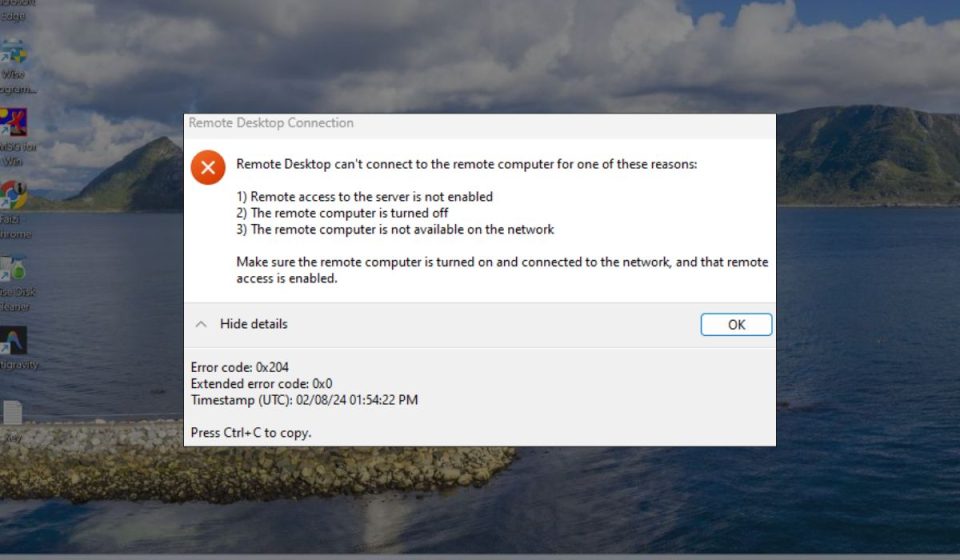
Search engine optimization has become a data-heavy discipline. Modern SEO teams often need to run crawlers, keyword research platforms, rank trackers, analytics dashboards, reporting software, and automation scripts at the same time. RDP SEO tools combine remote desktop access with SEO software and workflows, allowing users to manage optimization tasks from a powerful remote machine rather than relying only on a local laptop or office computer.
TLDR: RDP SEO tools give marketers, agencies, and website owners remote access to SEO software, crawlers, dashboards, and automation environments from almost anywhere. They are useful for keyword research, technical audits, rank tracking, competitor analysis, reporting, and collaborative workflows. The main benefits include better performance, centralized access, 24/7 availability, and easier team management. Used responsibly, they can make SEO operations faster, more organized, and more scalable.
What Are RDP SEO Tools?
RDP stands for Remote Desktop Protocol, a technology that allows someone to connect to and control a computer or server from another device. In the context of SEO, RDP usually refers to a remote Windows or server environment where SEO tools are installed and operated. Instead of running everything on your personal computer, you log into a remote desktop and use the tools there.
This setup is especially helpful for users who work with resource-intensive SEO software. Some crawling tools, scraping utilities, rank trackers, and reporting platforms consume a lot of memory, CPU power, and bandwidth. A remote desktop can provide a more stable environment, particularly when tasks need to run for hours without interruption.
In simple terms, RDP SEO tools are not always a single product. They are often a combination of a remote desktop server, SEO applications, browser extensions, scripts, spreadsheets, and dashboards arranged into one accessible workspace.

Core Features of RDP SEO Tools
While the exact setup can differ from one user to another, most RDP-based SEO environments share several familiar features. These features are what make remote SEO work more efficient and scalable.
1. Remote Access from Anywhere
The most obvious feature is the ability to access your SEO workspace from nearly any location. Whether you are at home, in an office, traveling, or working with a distributed team, you can log into the same remote machine and continue where you left off.
This is particularly useful for agencies and freelancers who manage multiple client projects. Instead of keeping files, exports, crawls, and reports scattered across different machines, an RDP environment keeps everything in one place.
2. High Performance for Heavy SEO Tasks
Technical audits and large website crawls can put significant pressure on a local computer. A site with hundreds of thousands of URLs may take hours to crawl, and the process can slow down other work if run locally.
With a properly configured RDP setup, users can choose a machine with more CPU, RAM, and storage than their everyday computer. This means they can run crawlers, open large spreadsheets, process log files, and generate reports without freezing their local device.
3. 24/7 Availability
One of the most practical advantages of RDP SEO tools is that the remote machine can stay online even when your personal computer is turned off. This is valuable for long-running activities such as:
- Scheduled rank tracking across multiple locations
- Large-scale site crawls that take several hours
- Automated report generation for clients or internal teams
- Data exports and imports between SEO platforms
- Log file analysis for technical SEO investigations
For SEO professionals who manage campaigns across time zones, this persistent availability can be a major productivity boost.
4. Centralized Tool Management
An RDP workspace can act as a central hub for SEO operations. Teams can install licensed software, configure browsers, store templates, organize client folders, and maintain shared reporting systems in one environment.
Centralization reduces confusion. Instead of asking, “Which computer has the latest crawl?” or “Where is the newest keyword export?” team members can access a shared remote workspace with a consistent setup.
5. Browser and Extension Control
SEO professionals often rely on multiple browser extensions for quick checks, including metadata review, SERP analysis, structured data testing, redirect tracing, and page speed diagnostics. An RDP environment lets teams keep a standardized browser profile with the same extensions installed and configured.
This consistency is useful when several people are reviewing the same site. Everyone sees the same tools, settings, and bookmarks, which helps maintain quality control.
Benefits of Using RDP SEO Tools
RDP SEO tools offer more than convenience. For many teams, they can improve speed, organization, security, and collaboration.
Better Productivity
SEO involves repetitive processes: checking rankings, exporting data, auditing pages, updating spreadsheets, and generating reports. A remote setup can streamline these activities by keeping everything ready to use. When you log in, your tools, files, and browser sessions are already available.
This reduces the time spent installing software, transferring files, or waiting for a local machine to catch up. For agencies with tight deadlines, those saved minutes can quickly add up.
Improved Collaboration
In a team setting, RDP can function as a shared SEO workstation. Different users can access the same environment, depending on permissions and scheduling. This can be helpful for handing off tasks between team members.
For example, a technical SEO specialist may run a crawl and save the export in a project folder. Later, a content strategist can log in, review the crawl data, and use it to plan content improvements. The workflow becomes smoother because everyone works from the same source of information.
Reduced Hardware Limitations
Not every SEO professional has access to a high-end computer. Some users work from lightweight laptops that are great for writing and browsing but not ideal for massive crawls or data processing.
RDP helps solve this problem by shifting the heavy work to a remote server. Your local computer becomes the access point, while the remote machine handles the demanding tasks.
Image not found in postmeta

Cleaner Project Organization
When SEO projects grow, file management can become messy. You may have keyword lists, audit exports, backlink data, analytics screenshots, content briefs, and ranking reports spread across email threads, local downloads, and cloud folders.
An RDP workspace encourages better structure. Each client or website can have its own folder with subfolders for crawls, reports, keyword research, technical audits, and content documents. This makes it easier to revisit past work and maintain a clear campaign history.
More Reliable Long-Running Processes
Local computers are often interrupted by restarts, battery issues, network drops, or everyday usage. A remote desktop hosted on reliable infrastructure is better suited for long-running tasks.
If you are crawling a large ecommerce website or processing months of server log data, stability matters. A remote setup can reduce interruptions and help ensure that time-consuming tasks complete successfully.
Common Use Cases for RDP SEO Tools
RDP SEO tools are useful in many areas of search engine optimization. They are especially valuable when workflows require consistency, computing power, or ongoing access.
Technical SEO Audits
Technical SEO audits often involve crawling entire websites, identifying broken links, reviewing redirects, checking canonical tags, analyzing indexability, and inspecting structured data. These tasks can be demanding, especially for large websites.
Using RDP, an SEO specialist can run a crawler on a remote machine while continuing other work locally. The results can be saved in the remote environment, exported to spreadsheets, and shared with the team.
Keyword Research and SERP Analysis
Keyword research involves collecting, comparing, grouping, and prioritizing search terms. An RDP workspace can store keyword tools, spreadsheet templates, clustering scripts, and competitor research documents together.
For SERP analysis, users can maintain browser profiles set up with useful extensions and bookmarks. This makes it quicker to examine search results, review competing pages, assess content formats, and identify ranking opportunities.
Rank Tracking and Monitoring
Rank tracking tools need regular checks to monitor keyword movement. Some businesses track hundreds or thousands of keywords across different locations, devices, and search engines.
An RDP setup is useful because rank tracking can run on a schedule without depending on a local computer. Reports can be generated automatically, reviewed remotely, and distributed to stakeholders.
Competitor Research
Competitor analysis is a recurring SEO activity. Marketers need to examine competitor content, backlink profiles, page structures, internal linking, schema usage, and ranking patterns.
With RDP SEO tools, teams can create dedicated folders for each competitor and keep screenshots, exports, notes, and comparison documents organized. This creates a living research library that can inform content strategy and technical improvements.
Content Planning and Optimization
SEO is not just technical. Content teams can also benefit from an RDP environment. Writers, editors, and strategists can access keyword maps, content briefs, optimization tools, and performance reports from one place.
This is especially helpful when a company has a repeatable content workflow. For example:
- Gather keyword data and search intent insights.
- Create a content brief based on ranking competitors.
- Draft or update the content.
- Check headings, metadata, internal links, and readability.
- Track the page after publication.
Keeping these steps connected inside a remote workspace can reduce errors and improve consistency.
Image not found in postmeta

Client Reporting for Agencies
Agencies often manage multiple campaigns at once, each with separate tools, dashboards, and reporting requirements. RDP can simplify this by creating a controlled environment for report preparation.
Templates, charts, exports, and historical reports can be stored in client-specific folders. Team members can log in, update the latest figures, and produce reports using the same structure each month. This helps maintain professional quality and reduces the risk of missing key data.
Important Considerations Before Using RDP for SEO
Although RDP SEO tools can be powerful, they should be used thoughtfully. A remote desktop is only as effective as its configuration, security, and workflow design.
- Security: Use strong passwords, multi-factor authentication when available, and trusted hosting providers.
- Permissions: Limit access based on roles so that team members only use what they need.
- Backups: Regularly back up important SEO files, reports, and configuration settings.
- Compliance: Respect website terms, data privacy rules, and platform policies when collecting or processing data.
- Performance: Choose enough CPU, RAM, storage, and bandwidth for your SEO workload.
It is also important to avoid using RDP setups for unethical or harmful tactics. Sustainable SEO is built on useful content, technically sound websites, accurate data, and responsible marketing practices.
Who Should Use RDP SEO Tools?
RDP SEO tools are not necessary for every website owner. A small blog or local business site may be perfectly manageable with standard cloud SEO platforms and a personal computer. However, RDP becomes more attractive as complexity increases.
They are especially useful for:
- SEO agencies managing multiple client campaigns
- Technical SEO specialists running large crawls and audits
- Ecommerce teams working with thousands of product and category pages
- Enterprise marketers coordinating SEO across departments
- Freelancers who need a stable, portable professional workspace
- Remote teams that benefit from shared tools and standardized setups
Final Thoughts
RDP SEO tools can transform the way SEO work is organized and executed. By moving demanding tasks into a remote environment, marketers gain flexibility, performance, and consistency. They can run crawls without slowing down their laptops, maintain organized project folders, schedule recurring tasks, and collaborate more effectively with teammates.
The real value of RDP for SEO is not just remote access. It is the ability to create a reliable command center for search marketing operations. When configured securely and used responsibly, an RDP-based SEO workspace can help teams move faster, make better decisions, and manage increasingly complex campaigns with confidence.