


Turning a business idea into a recognizable visual identity has become faster than ever. Instead of waiting weeks for early design concepts, founders, marketers, and small teams can now test logo directions in minutes using AI powered and template based logo generators. The best platforms help translate a brand name, industry, style preference, and color palette into a polished starting point that can be refined for websites, packaging, social media, and print.
TLDR: Logo generators are useful for quickly exploring brand identity options, especially for startups, side projects, ecommerce stores, and small businesses. The strongest tools combine ease of use, solid customization, useful export formats, and brand asset support. Canva, Looka, Wix Logo Maker, Tailor Brands, Adobe Express, Hatchful, LogoMakr, Namecheap Logo Maker, Fiverr Logo Maker, and Turbologo each serve different needs. The best choice depends on whether the priority is speed, design control, full branding kits, or affordability.

Why Logo Generators Matter
A logo is often the first visual signal a customer notices. It suggests whether a company feels modern, premium, playful, traditional, technical, or approachable. While a professional designer can provide deep strategy and originality, a logo generator can help a team move from a rough concept to a usable direction quickly.
These tools are especially helpful in the early stages of a business, when branding decisions are still evolving. A founder can compare multiple styles, test icons, experiment with typography, and see how a mark appears on mockups. Some tools focus on simple templates, while others use AI questions to recommend designs based on brand personality.
How the 10 Logo Generators Compare
1. Canva Logo Maker
Best for: Teams that want flexibility beyond logo creation.
Canva is widely known for its easy design interface, and its logo maker benefits from the same drag and drop simplicity. It offers a large library of templates, fonts, icons, shapes, and color palettes. A business can start with a template and quickly modify nearly every visible element.
The major strength of Canva is its broader ecosystem. Once a logo is created, the same brand elements can be applied to social posts, presentations, flyers, business cards, and website graphics. This makes it valuable for small teams that need consistent visual content without hiring a full design department.
Limitations: Because many templates are available to many users, extra customization is important to avoid a generic look.
2. Looka
Best for: AI guided branding and polished logo concepts.
Looka uses a guided process in which a user enters a company name, selects preferred styles, chooses colors, and identifies symbols. The platform then generates multiple logo ideas that feel more curated than purely template based options.
Its strongest feature is the brand kit. After selecting a logo, a business can preview matching business cards, social media graphics, invoices, email signatures, and other assets. This helps decision makers imagine the brand in real use rather than judging the logo in isolation.
Limitations: Advanced editing is more limited than in open design platforms, so it works best when the generated direction is already close to the desired result.
3. Wix Logo Maker
Best for: Businesses planning to build a website and logo together.
Wix Logo Maker combines AI style recommendations with practical branding tools. It asks questions about the brand’s personality, industry, and preferred visual direction, then generates a collection of editable logos. The interface is simple, and users can adjust fonts, colors, layouts, and icons.
The tool is particularly useful for companies already using Wix for website building. A logo can be integrated into a site, online store, and marketing materials with minimal friction. For a new venture that needs both a web presence and a visual identity, this combination can save time.
Limitations: It is most attractive to those who are comfortable staying within the Wix ecosystem.

4. Tailor Brands
Best for: Entrepreneurs looking for a complete business branding platform.
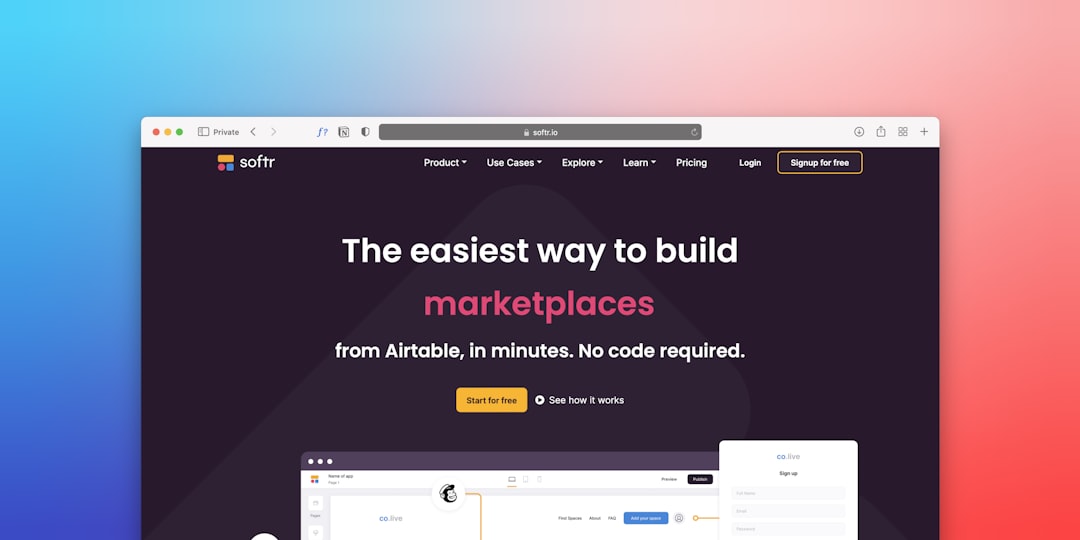
Tailor Brands positions itself as more than a logo generator. It guides users through logo creation and then offers additional tools for business cards, branded merchandise, social media assets, and other business services. The logo creation flow is straightforward and emphasizes brand personality.
Its designs tend to be clean, modern, and startup friendly. For a solo entrepreneur or small company that wants a coordinated identity without managing several platforms, Tailor Brands can be a practical option.
Limitations: Some businesses may find the platform more service oriented than design focused, especially if they only need a simple logo file.
5. Adobe Express Logo Maker
Best for: Simple logo creation backed by a trusted design ecosystem.
Adobe Express offers an accessible logo maker for users who want quick results without learning complex software. It allows a business to enter a name, select a style, choose an icon, and generate logo variations. The process is intentionally simple, making it suitable for fast drafts and lightweight branding needs.
The advantage is Adobe’s connection to a larger creative environment. A created logo can be used in social graphics, flyers, short videos, and other branded content inside Adobe Express. It is a good fit for marketers who need speed and recognizable design tools.
Limitations: It does not provide the same depth as professional Adobe tools such as Illustrator, and originality depends on how much customization is applied.
6. Hatchful by Shopify
Best for: Ecommerce stores and simple small business branding.
Hatchful is Shopify’s free logo maker, designed with speed and practicality in mind. It asks for an industry, visual style, business name, and intended use, then creates a set of downloadable logo options. It is especially convenient for ecommerce sellers who need a logo for a storefront, product page, or social media profile.
The tool’s biggest advantage is accessibility. It does not require advanced design knowledge, and it delivers files quickly. For early store testing, product launches, or temporary branding, Hatchful can be very effective.
Limitations: Customization is relatively basic, so brands seeking a distinctive identity may eventually need a more advanced design process.
7. LogoMakr
Best for: Hands on users who want direct editing control.
LogoMakr offers a more manual design experience than many AI guided tools. Users can search for icons, add text, change colors, and arrange elements on a canvas. This makes it appealing to people who already have a rough idea and want to assemble it themselves.
The interface is simple, but it provides enough freedom to build a logo from individual components. It can be useful for clubs, side projects, local services, or internal initiatives that need a fast visual mark.
Limitations: Since the tool relies heavily on user composition, the final quality depends on the designer’s eye for spacing, balance, and typography.
8. Namecheap Logo Maker
Best for: Budget conscious businesses that need a quick, free logo.
Namecheap Logo Maker is a straightforward option that generates logos based on brand name, industry, font preferences, color choices, and icons. It is appealing because it provides a simple route to logo files without a complicated design process.
It works well for entrepreneurs who are also purchasing domains, setting up hosting, or launching a basic online presence. The logo maker fits naturally into the early startup checklist, where speed and cost control matter.
Limitations: Designs may require careful selection and editing to avoid looking similar to common startup templates.
9. Fiverr Logo Maker
Best for: Businesses that want generator speed with designer influenced options.
Fiverr Logo Maker combines automated customization with designs created by freelance designers. A user enters brand details and style preferences, then receives logo options that can be modified. This hybrid approach gives the platform a slightly different feel from purely automated tools.
The main benefit is that many starting designs have a designer’s composition behind them. For businesses that like the convenience of a logo generator but still want access to freelance talent, Fiverr’s broader marketplace can also be useful if further refinement is needed.
Limitations: The best outcomes may require paid downloads or additional freelance services for deeper customization.
10. Turbologo
Best for: Fast logo generation with broad style variety.
Turbologo generates many logo variations after receiving basic brand information, industry details, color preferences, and icon choices. It is designed for speed, giving users a large selection of concepts to browse and refine.
The platform also offers branding previews, allowing a company to see how the logo might look on business cards, letterheads, envelopes, and social assets. This makes it easier to judge whether a logo has enough versatility for everyday use.
Limitations: Like many fast generators, it can produce attractive but familiar layouts, so users should spend time adjusting details.
Key Factors to Consider Before Choosing
- Customization: A logo generator should allow edits to colors, fonts, icons, spacing, and layout.
- File formats: Businesses should look for high resolution files and, where possible, vector formats for scaling.
- Brand consistency: Tools with brand kits help maintain the same colors, fonts, and logo usage across materials.
- Originality: Templates are convenient, but the final design should be customized enough to feel distinctive.
- Ease of use: A simple interface matters when a non designer needs to create assets quickly.
- Cost: Some platforms are free to try but charge for downloads, commercial rights, or premium file packages.
Which Logo Generator Is Best?
There is no single best logo generator for every business. Canva is a strong all purpose choice for teams that need many branded assets. Looka and Wix Logo Maker are useful for guided AI based branding. Tailor Brands works well for entrepreneurs seeking a broader business identity package. Adobe Express is ideal for quick content creation connected to a larger design ecosystem.
For budget friendly or fast options, Hatchful, Namecheap Logo Maker, and LogoMakr are practical choices. Fiverr Logo Maker is appealing when a business wants automated convenience with a designer marketplace nearby. Turbologo suits teams that want many variations and quick brand previews.
Final Thoughts
A logo generator should be viewed as a powerful starting point rather than a guaranteed final answer. It can help a company clarify its visual direction, compare styles, and launch faster. However, the strongest logos still depend on thoughtful choices: clear typography, memorable shapes, balanced spacing, suitable colors, and alignment with the brand’s personality.
From idea to logo, the modern branding process is more accessible than ever. With the right tool and careful customization, a business can create a mark that looks professional, communicates clearly, and supports the next stage of growth.
FAQ
Are logo generators good for professional businesses?
Yes. Logo generators can produce professional results, especially when the design is customized carefully. However, companies with complex brand strategies may still benefit from working with a professional designer.
Can a logo made with a generator be trademarked?
It depends on the platform’s licensing terms and the uniqueness of the design. A business should review commercial rights carefully and consult a legal professional before filing for a trademark.
Which logo generator is best for beginners?
Canva, Hatchful, Adobe Express, and Namecheap Logo Maker are especially beginner friendly because their interfaces are simple and their workflows are fast.
Which tool is best for a complete brand kit?
Looka, Tailor Brands, Canva, and Wix Logo Maker are strong options for businesses that want logos along with social graphics, business cards, and other branded assets.
Should a business use a free logo generator?
A free logo generator can be useful for testing ideas, temporary branding, or early launches. For long term use, a business should ensure it has the correct file formats, commercial rights, and enough customization to stand out.